
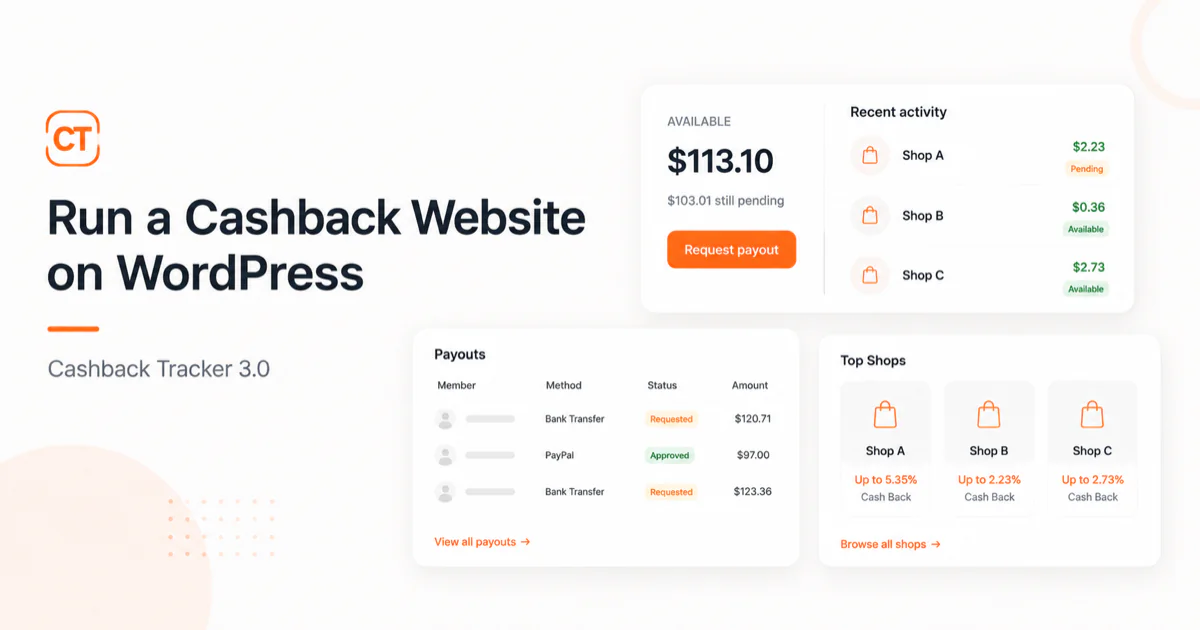
A cashback site needs four things: links that track who clicked, a record of what each member earned, somewhere they can see it, and a way to pay them.
Version 3 does all four, on your own WordPress site. Members get an account page with a balance that moves as their orders approve. You get a payout queue, an order list you can correct by hand, and a shop directory that fills itself from your affiliate networks.
It is out now, and this is what I put in it.
How the loop works
Every affiliate link on your site becomes a tracking link carrying the ID of the member who clicked it.
They buy something. The shop reports the sale to the affiliate network, the network reports it to you, and the plugin matches the order back to the member who earned it. It arrives as pending, because the network has not confirmed it yet. Most hold an order for 30 to 90 days while the return window closes.
When the network approves it, the member’s share moves from pending to available. If the network cancels it instead, the entry is reversed and the balance goes back down.
Once the balance passes the minimum you set, the member asks to be paid. That request lands in a queue in your admin. You send the money and mark it paid.
The first three steps run without you. The last one is yours, and it is the only part that touches money.
What is in the release
For your members
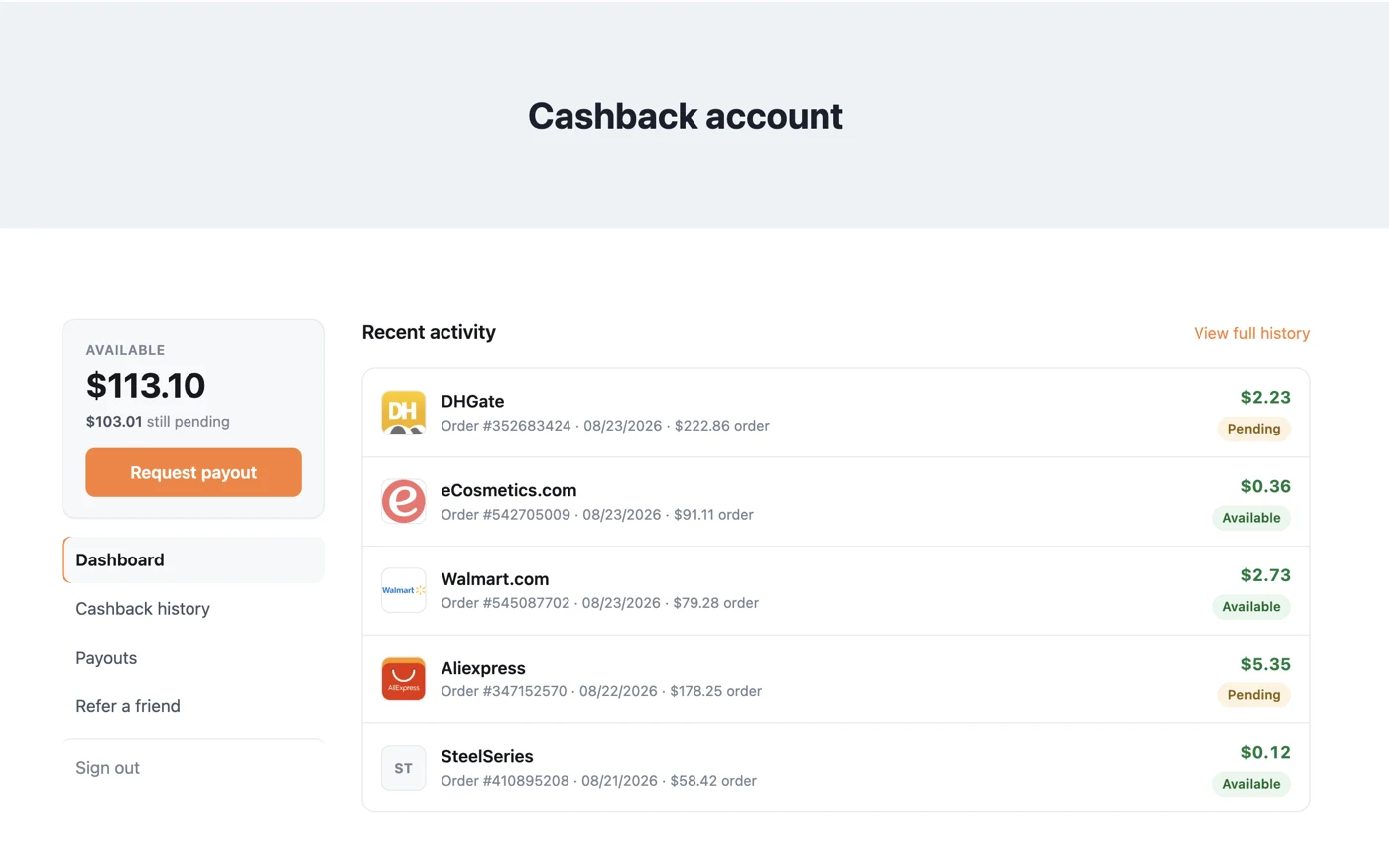
- An account page showing their balance, split into pending and available
- Their full history: every order, bonus, adjustment and payout
- A referral link, with bonuses you set
- Emails at each step — welcome, order registered, approved, declined, paid. Edit the wording, or switch any of them off.
- Shop reviews, with a “Verified cashback” badge on members who actually earned there
For you
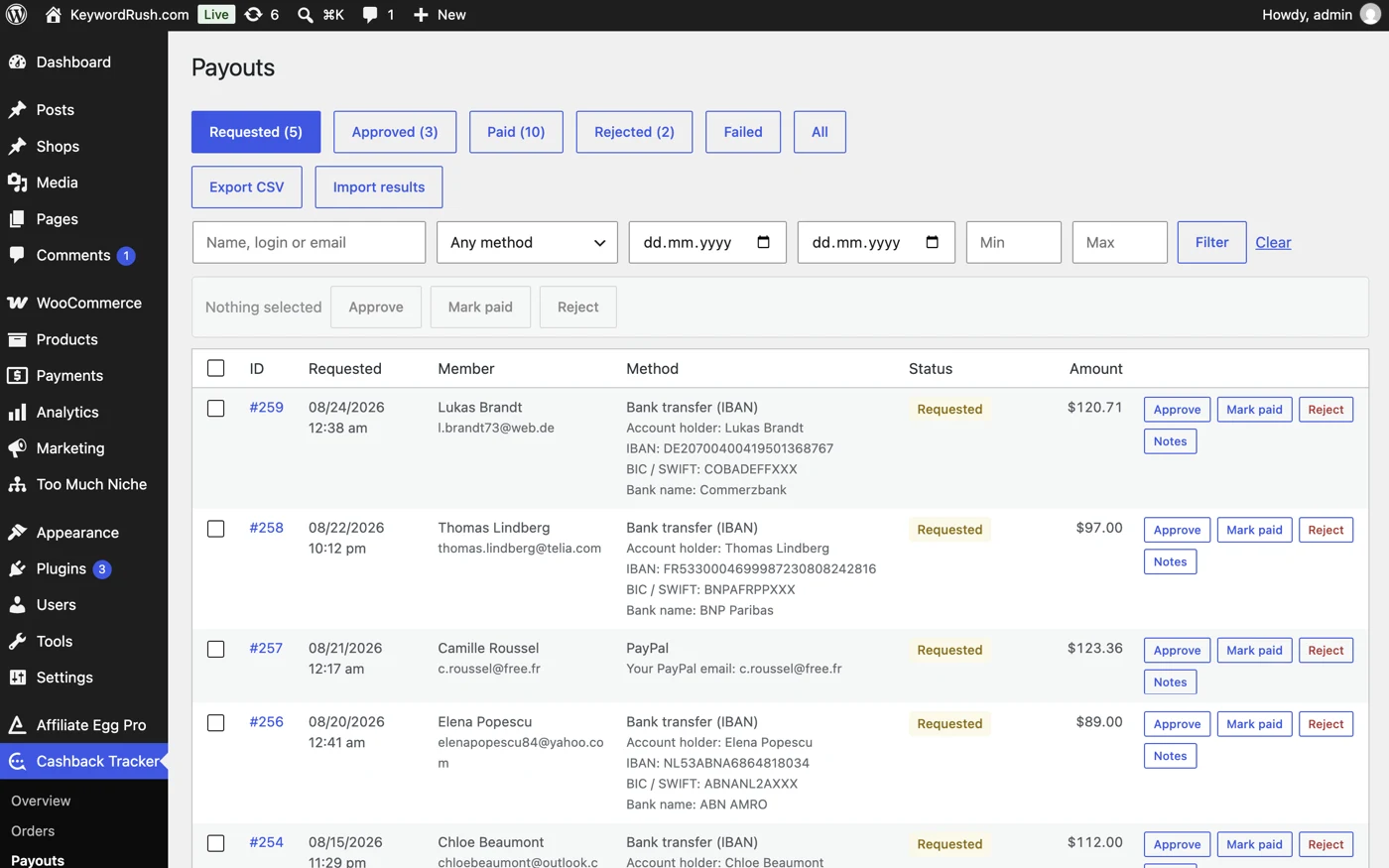
- A payout queue with proper fields for each method: PayPal, bank transfer, Wise, crypto, gift cards
- Approve, pay or reject in bulk. Export a batch as CSV, pay it at your bank, then import the same file back to mark those rows paid.
- Failed payments return the money to the member’s balance instead of vanishing
- Orders you can add, edit, approve or decline by hand
- Balance adjustments, with the corrections applied for you
The storefront
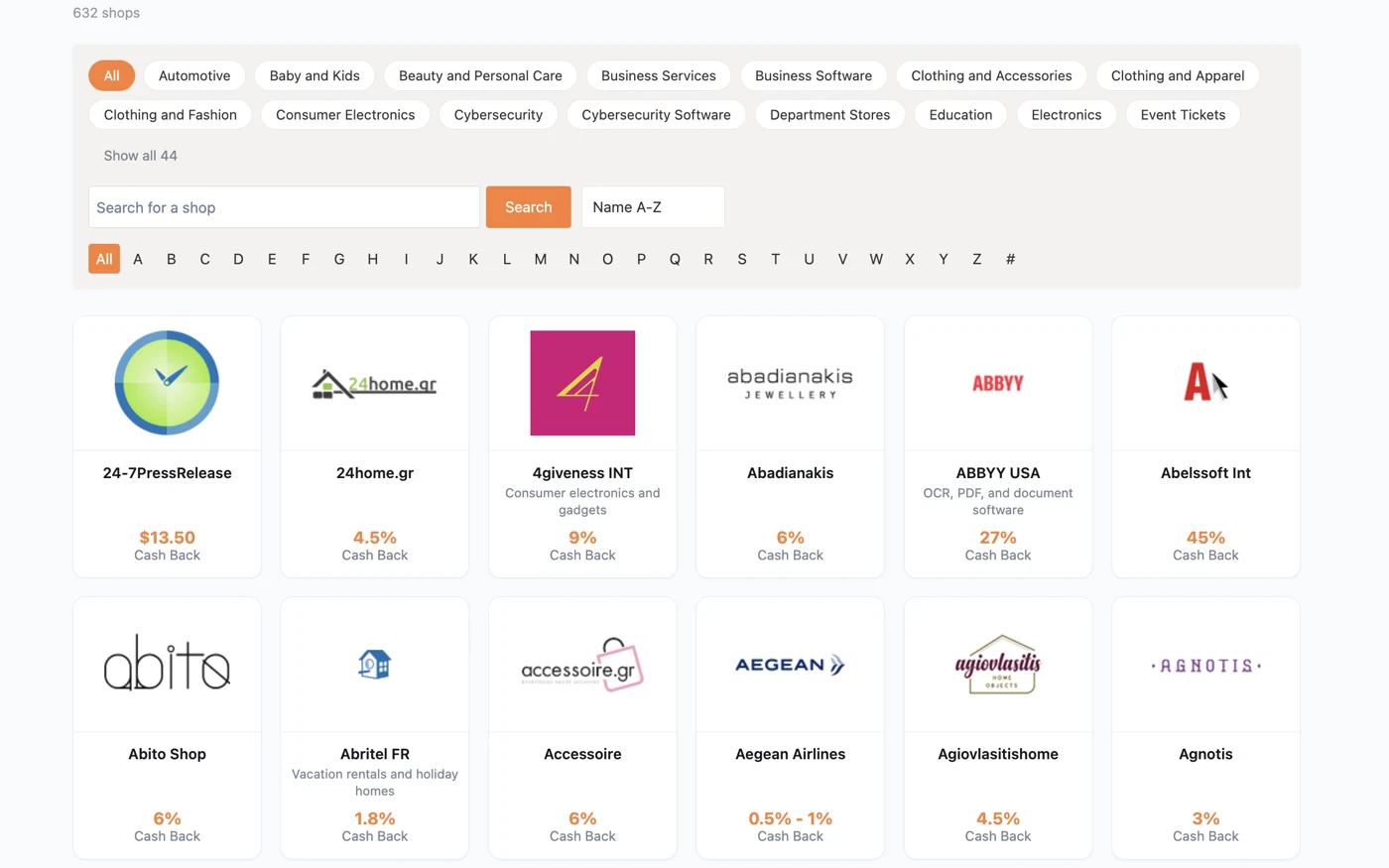
- A shop directory with search, categories and A–Z browsing
- Shop pages built automatically, in whichever of the two layouts you prefer
- Coupons imported from your networks — and the ones you edit stay edited when the feed refreshes
- Blocks for the editor: shops, coupons, search, balance
Networks
Admitad, Awin, CJ, Cuelinks, Impact, INRDeals and Linkwise, with Rakuten and AccessTrade in beta. Anything not on that list can be added as a custom network, as long as it can send postbacks.
Two more things I added
Filling a new catalogue
Connect a network and hundreds of shop pages appear at once, all empty. Filling them by hand is what stops most cashback sites from ever launching.
So I added bulk tools that write them in one pass: descriptions, taglines, SEO titles, categories, and coupon text in your own words. Logos are fetched separately. It runs on your own AI provider through WordPress, so it is your key and your account, with no credits to buy from me. Every run has a cap, a progress bar and a stop button, and skips anything you have already written yourself.
Running it without cashback
Not everyone wants to pay cashback. Plenty of people want a coupon site: shop pages, working codes, a searchable directory, and the whole commission kept.
So I added a single setting that turns the cashback half off. Balances, payout requests and the member area stop appearing on the front end; shops, coupons, search and your tracking links carry on exactly as before. Nothing is deleted, so if you change your mind, switch it back and it all returns.
Where it still struggles
It never moves money. There is no payment gateway and no wallet. A payout request is a record; you pay from your own PayPal or bank account and mark it paid. That is deliberate. Holding other people’s money is a regulated business, and I would rather ship a plugin that keeps the books than one that needs a licence.
You need API access to your networks. I read orders from the official network APIs, so you need publisher API credentials for each network you connect. Some approve in a day, some take weeks, and a few will not approve a site with no traffic yet. There is a sandbox to build against while you wait.
There is a cash-flow gap. Members’ cashback approves on the network’s schedule, and networks pay you on theirs. You can owe money before you have been paid for it. Set your holding period and your minimum payout with that in mind — this is the part that catches people out.
It is not a loyalty plugin for your own shop. If you run a WooCommerce store and want to give your own customers points for buying from you, that is a different product. This one is for sites that earn affiliate commission and share it with the people who generated it.
Get it
If you already have a licence, update from your WordPress dashboard. If you do not, Cashback Tracker Pro is $59 a year for a single site: plans and pricing.
The documentation has been rewritten for version 3: Cashback Tracker docs. Coming from version 2, start with Upgrading from version 2 — the upgrade asks one permanent question about your existing order history, and it is worth understanding before you answer it.
The plugin page has more screenshots and the full tour.
I build and support these plugins on my own, so if something does not work, or the docs do not answer your question, you are writing to the person who wrote the code.

With 20 years in affiliate marketing, Serge creates practical WordPress tools such as Content Egg and External Importer that help publishers manage and grow their affiliate sites.
1 thought on “Run a cashback website on WordPress: what’s new in Cashback Tracker 3.0”