Run your own
cashback website
Members shop through your tracking links, watch their cashback balance grow, and request payouts — Cashback Tracker runs the whole loop on your WordPress site.
- Member accounts
- Cashback ledger
- Payout queue
- Shops & coupons
-
Emma shops at Nike through your link
-
The network reports her order $128.00
-
Cashback lands in her balance +$6.40
-
She requests a payout — you send it $42.17
What kind of site are you building?
Run a full cashback programme, a coupon site with no member accounts at all, or add a rewards layer to the affiliate site you already have. Start one way, switch later — it's a setting, not a rebuild.
The full programme: members shop through your tracking links, cashback lands in their balance, and payouts go out on your terms. The plugin runs the accounts, the ledger, the emails and the payout queue.
- Shop directory with rates, categories and search
- Member accounts with balance, history and referrals
- Payout requests with a minimum and methods you define
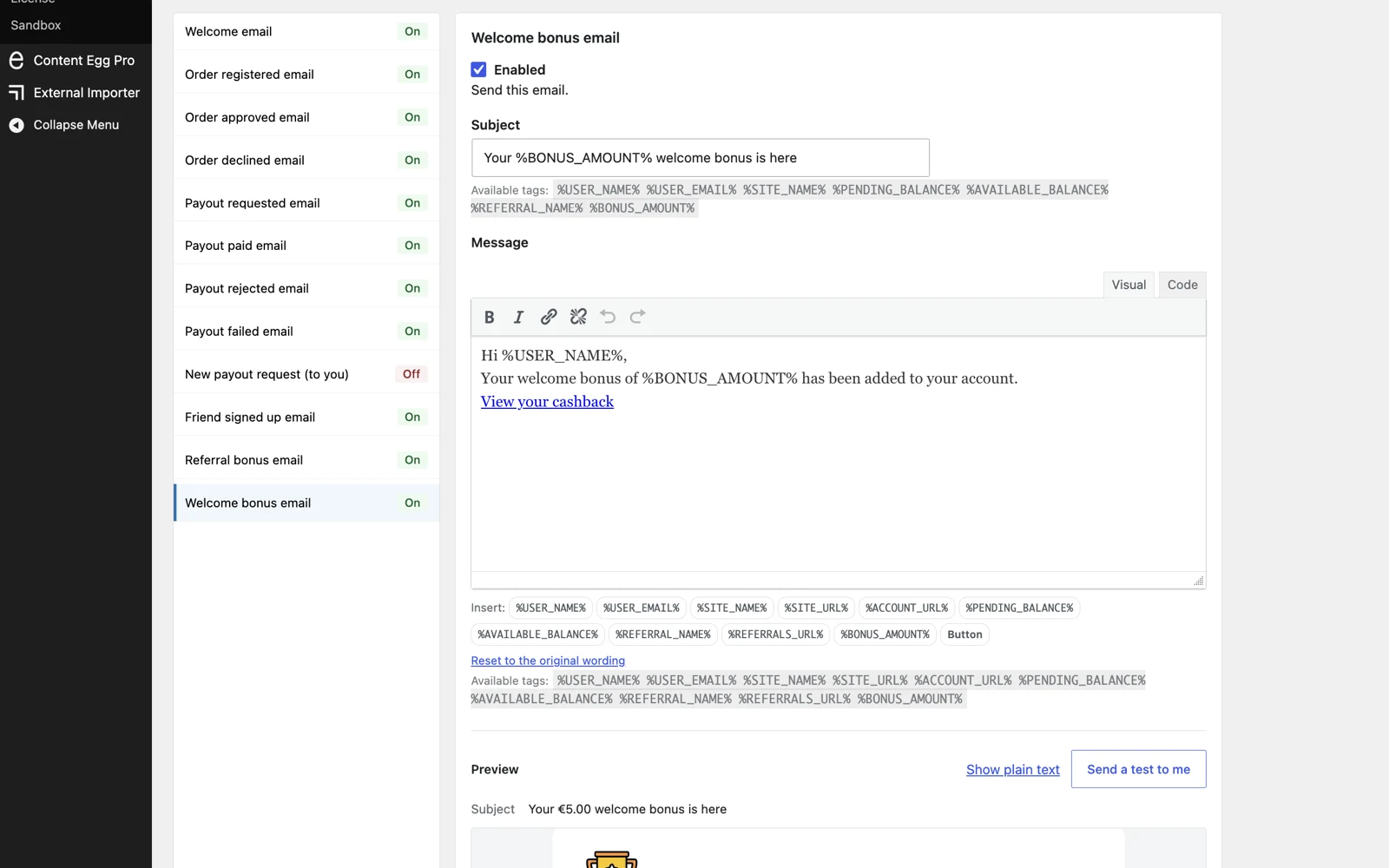
- Member emails for every step — welcome, approved, paid
You set the split per shop — a percentage of the sale, a percentage of your commission, or a flat amount.
No members, no balances — a coupon site that keeps the whole commission. One setting takes every cashback promise off the front end, while shops, coupons, search and your tracking links keep working.
- Coupons imported automatically — your edits stay put
- SEO shop pages titled “Nike Coupons”, not “Nike Cashback”
- Visitors vote on codes — working ones rise to the top
- No signup friction — nobody is asked to register
Change your mind later? Flip the setting back on — nothing is deleted, rates and balances return as they were.
Already run an affiliate site? Keep your theme and your content, and add a member layer on top: readers who used to click away and never come back get a balance, emails, and a reason to keep buying through your links.
- Works alongside your existing content and theme
- Your coupons appear in Content Egg product blocks, carrying the member's tracking id
- myCred and GamiPress bridges — points, badges and ranks
- Referral links turn members into your acquisition channel
Rankings and AI answers show your content once. Members come back on their own.
The loop, from click to payout
Cashback platforms are usually custom-built software. Cashback Tracker runs the same loop on WordPress — automatic where it can be, yours where money moves.
-
1 Plugin
A member clicks out
Every affiliate link becomes a tracking link with that member's ID.
-
2 Plugin
The order comes in
Orders arrive from your affiliate networks and start as pending.
-
3 Plugin
Cashback is credited
The member's balance grows by the share you set for each shop.
-
4 Your member
They request a payout
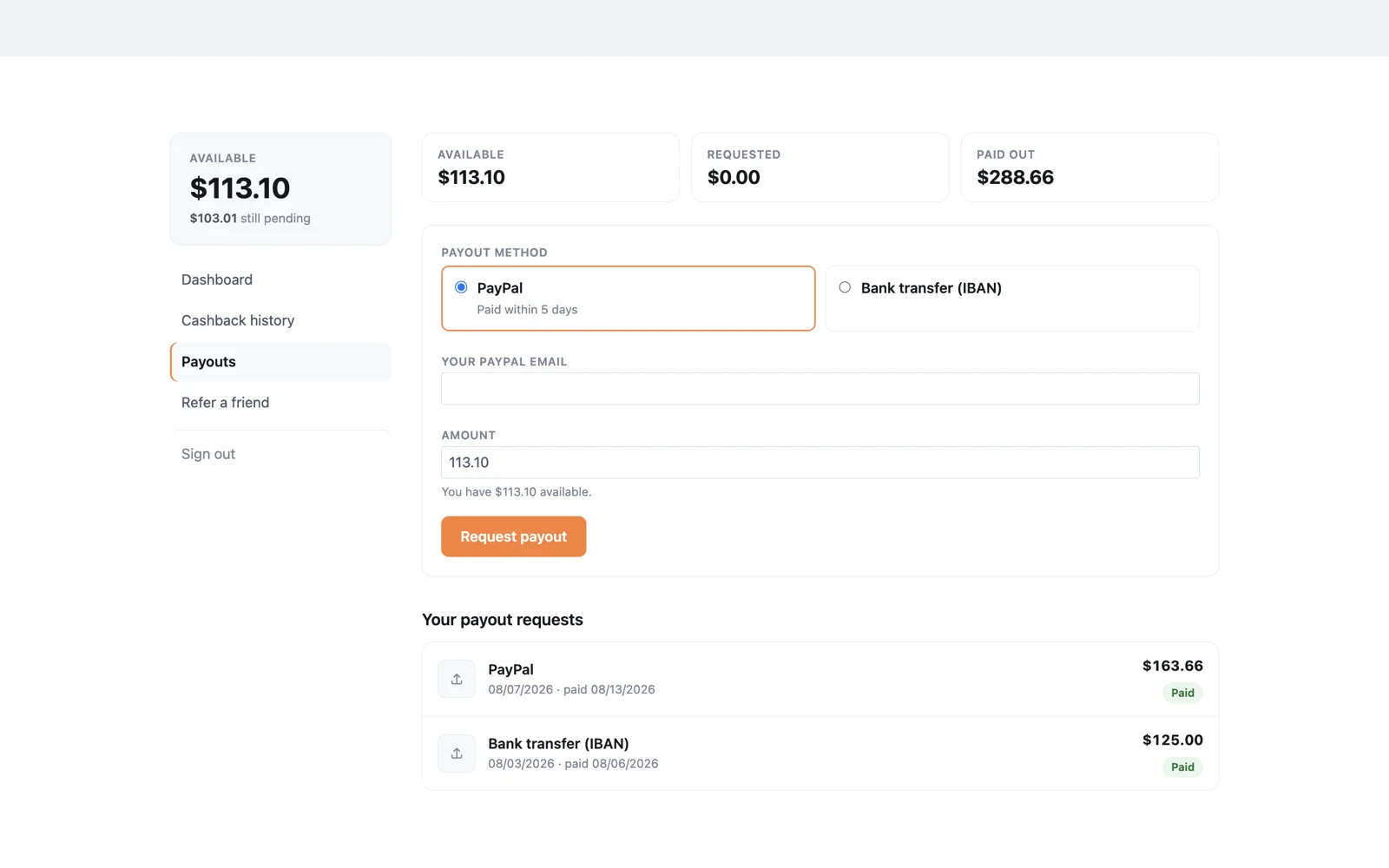
Once their balance passes your minimum — PayPal, bank transfer, or any method you define.
-
5 You
You pay and mark it paid
From your own account, through a payout queue with bulk actions and CSV export.
Then they shop again — members come back to the site that's holding their next payout.
A closer look
Four screens you'll live in — the member area, the payout queue, the storefront, and the admin.
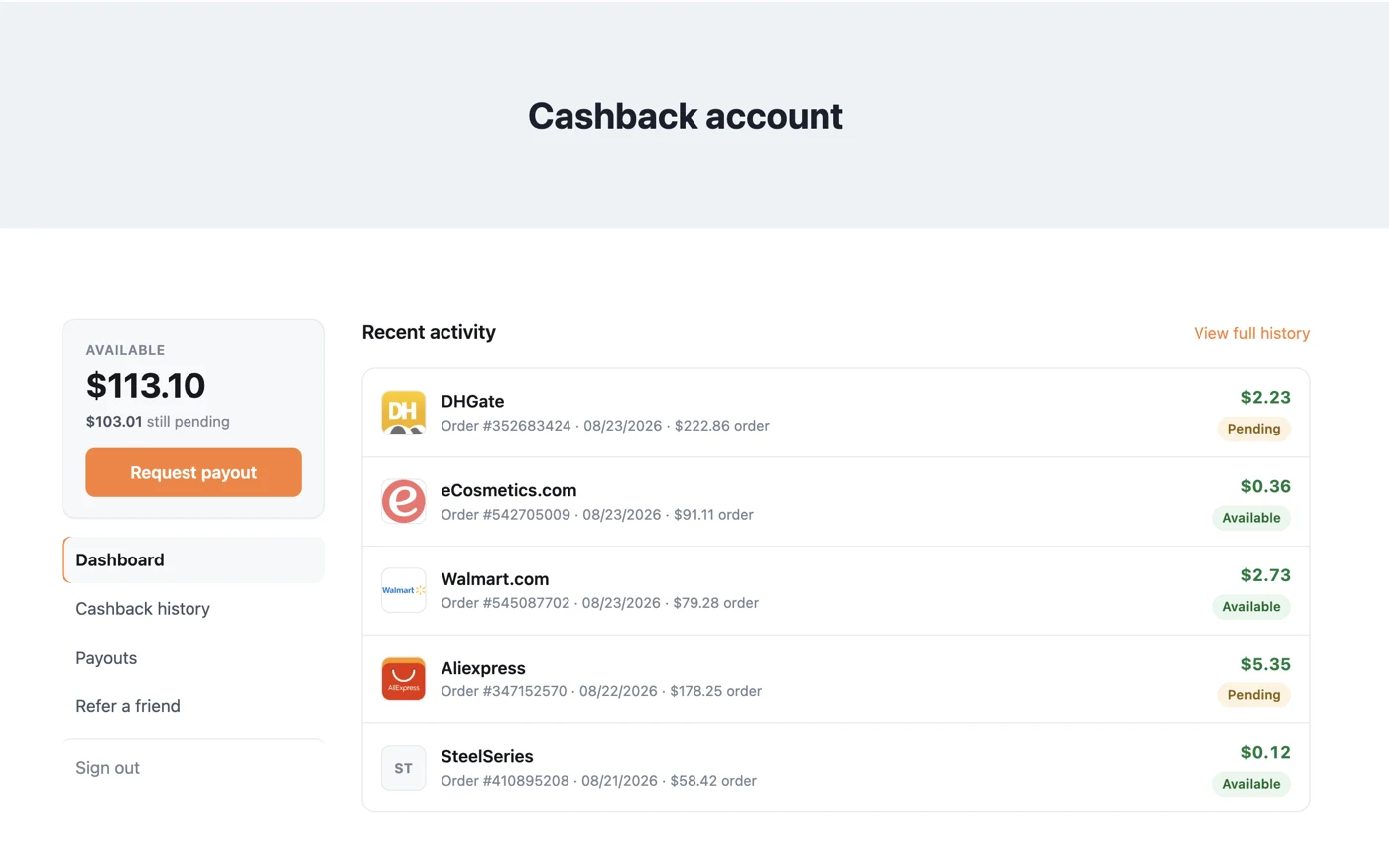
The member area
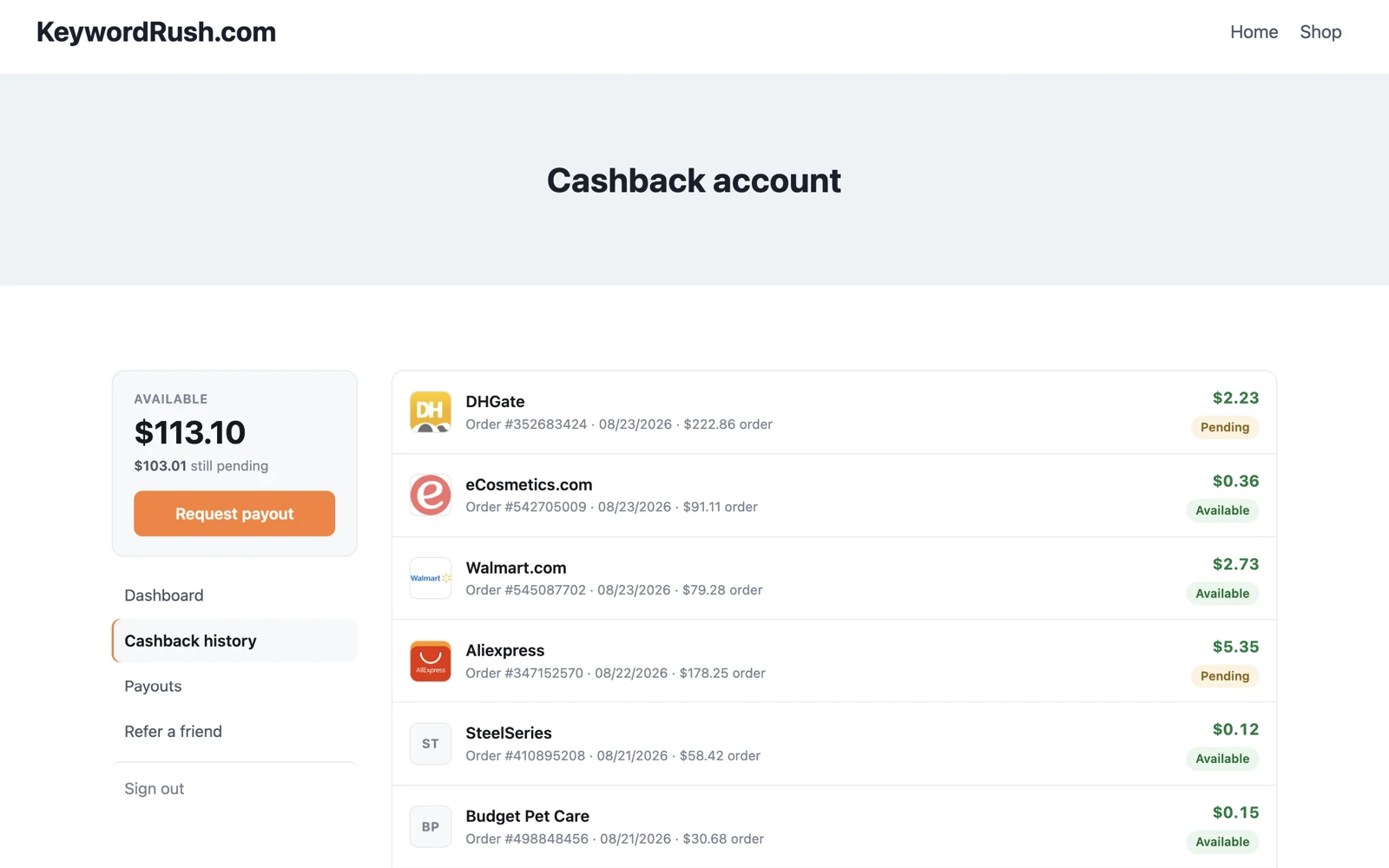
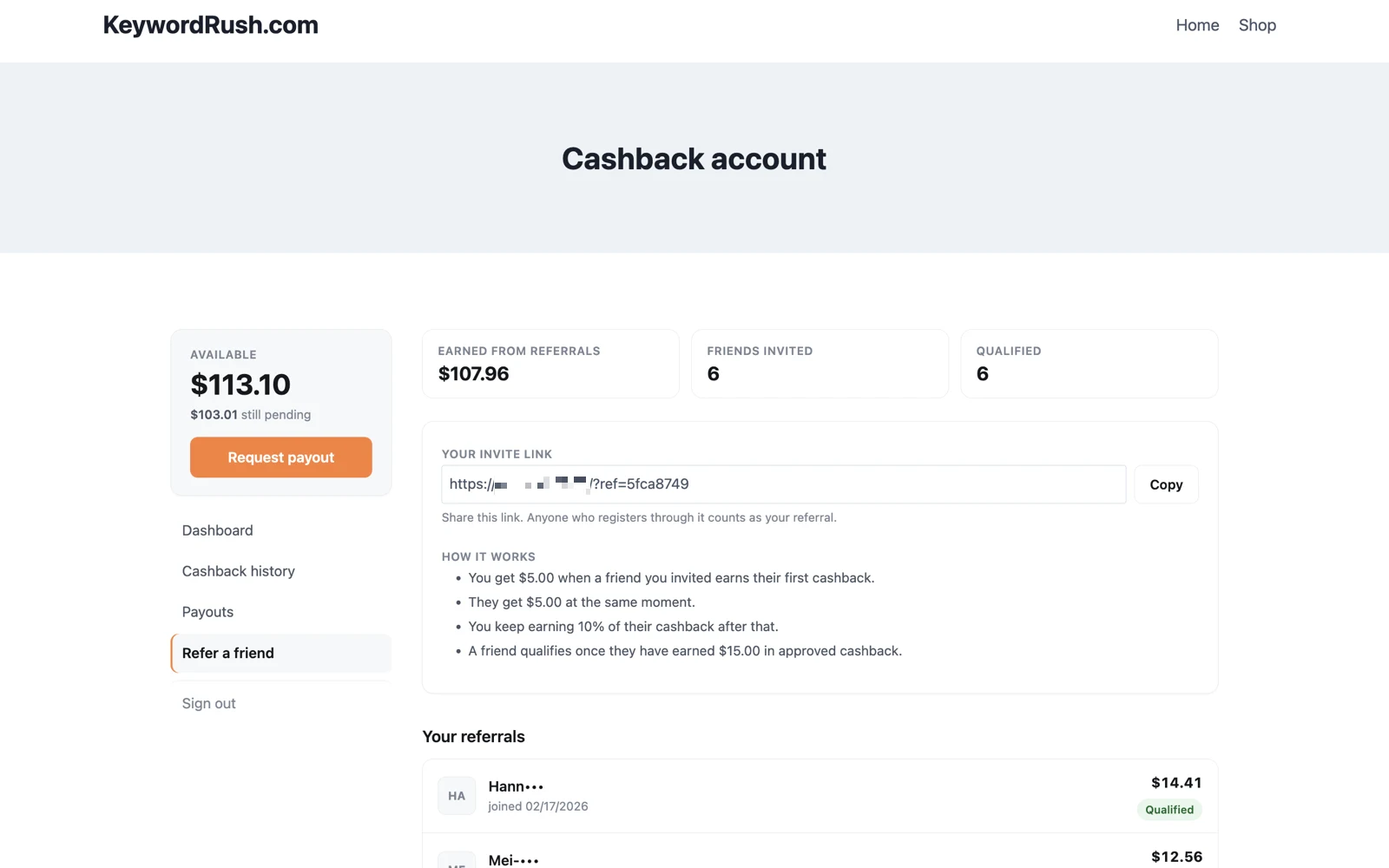
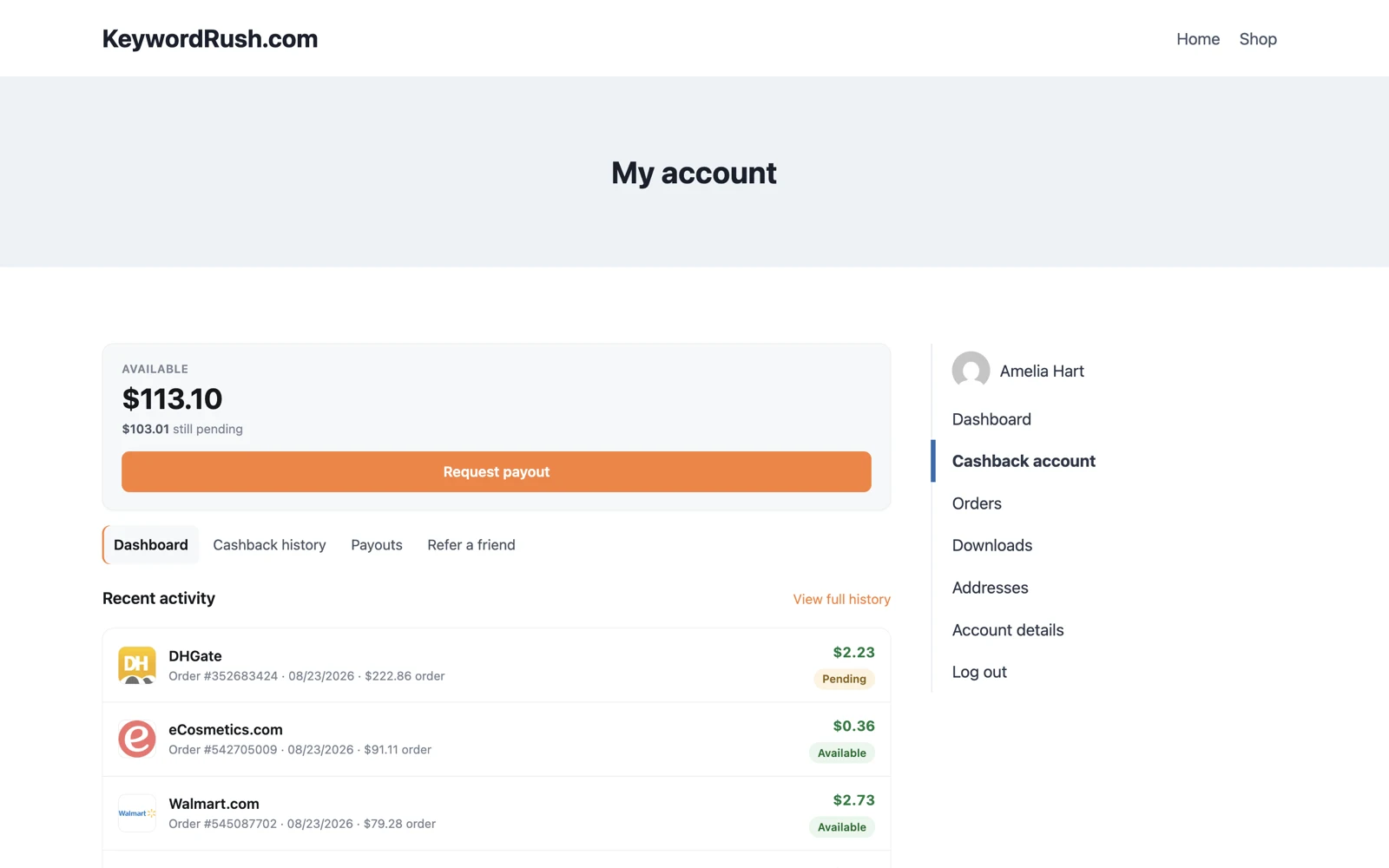
Every member gets an account page with their balance, full history and a referral link. Emails go out at every step — you write none of them.
- Balance and history — every order, bonus and payout
- Emails for each step: welcome, approved, declined, paid
- Referral program with bonuses you control
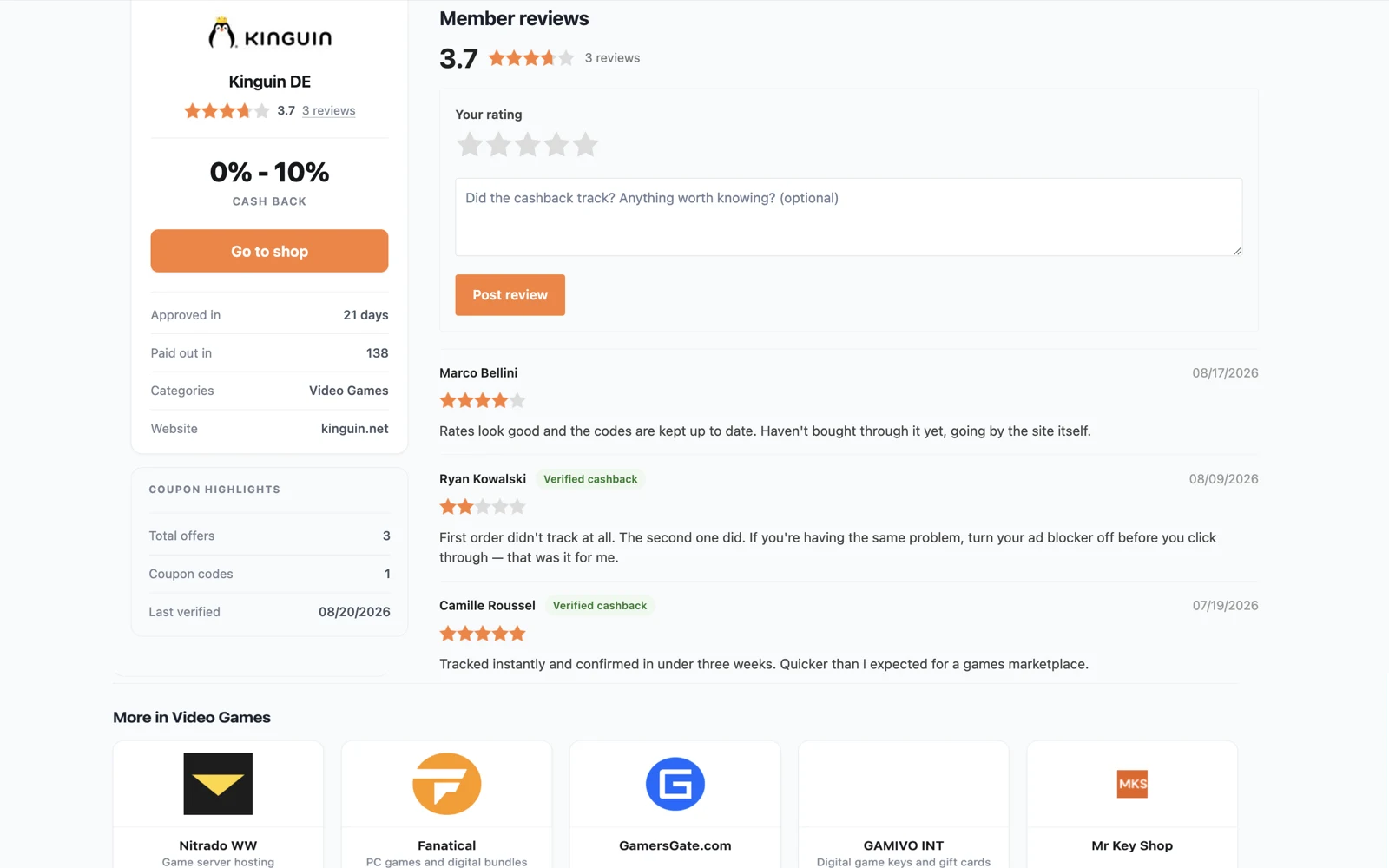
- Shop reviews with a “Verified cashback” badge
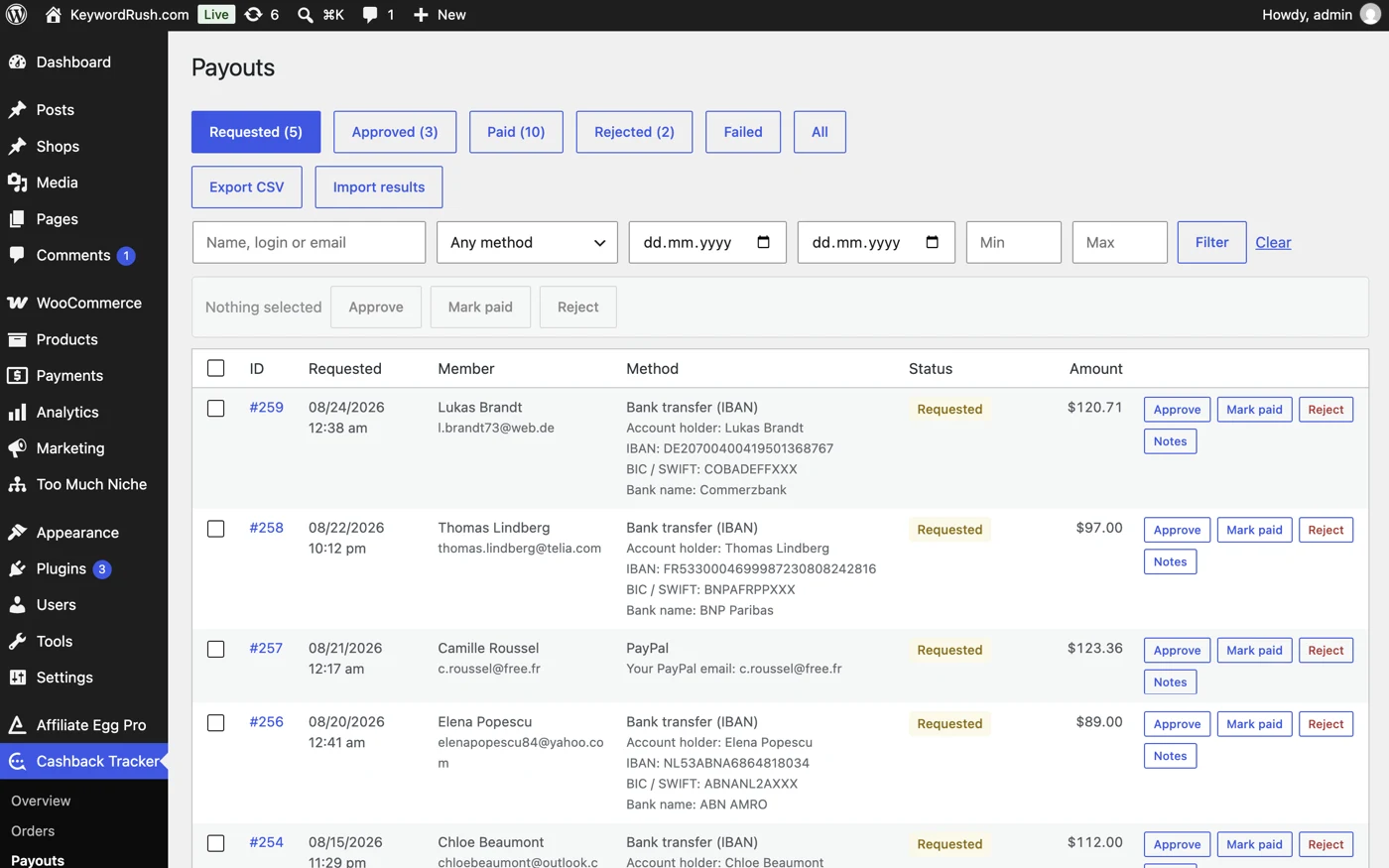
The payout queue
Approve, pay or reject requests one by one or in bulk. Pay a whole batch at your bank with a CSV export, then import the same file back to mark rows paid.
- Payout methods with real fields — PayPal, bank, Wise, crypto, gift cards
- CSV export and import for bank batches
- Failed payments return the money to the member's balance
- A payment reference the member sees, a note only you see
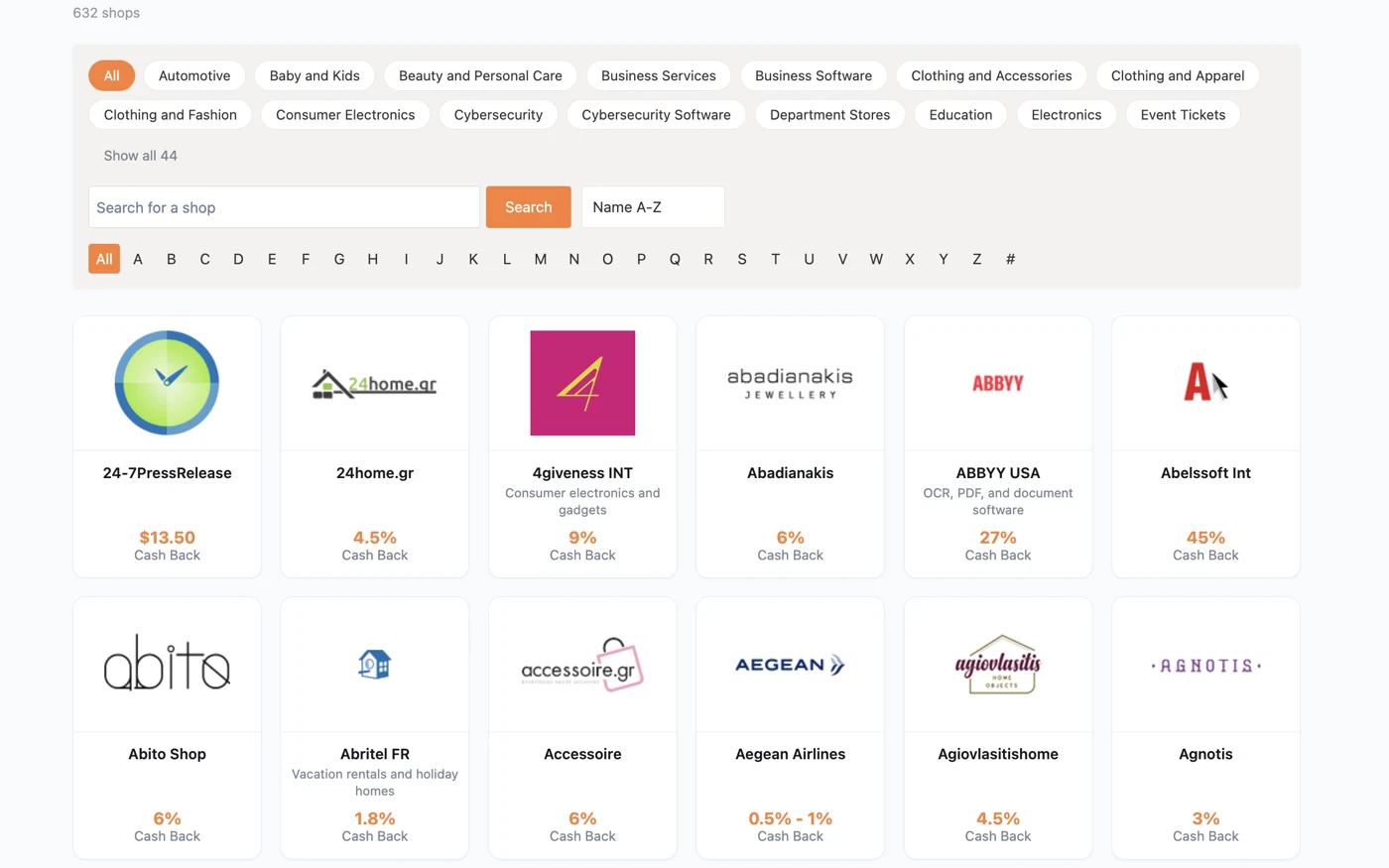
Shops and coupons
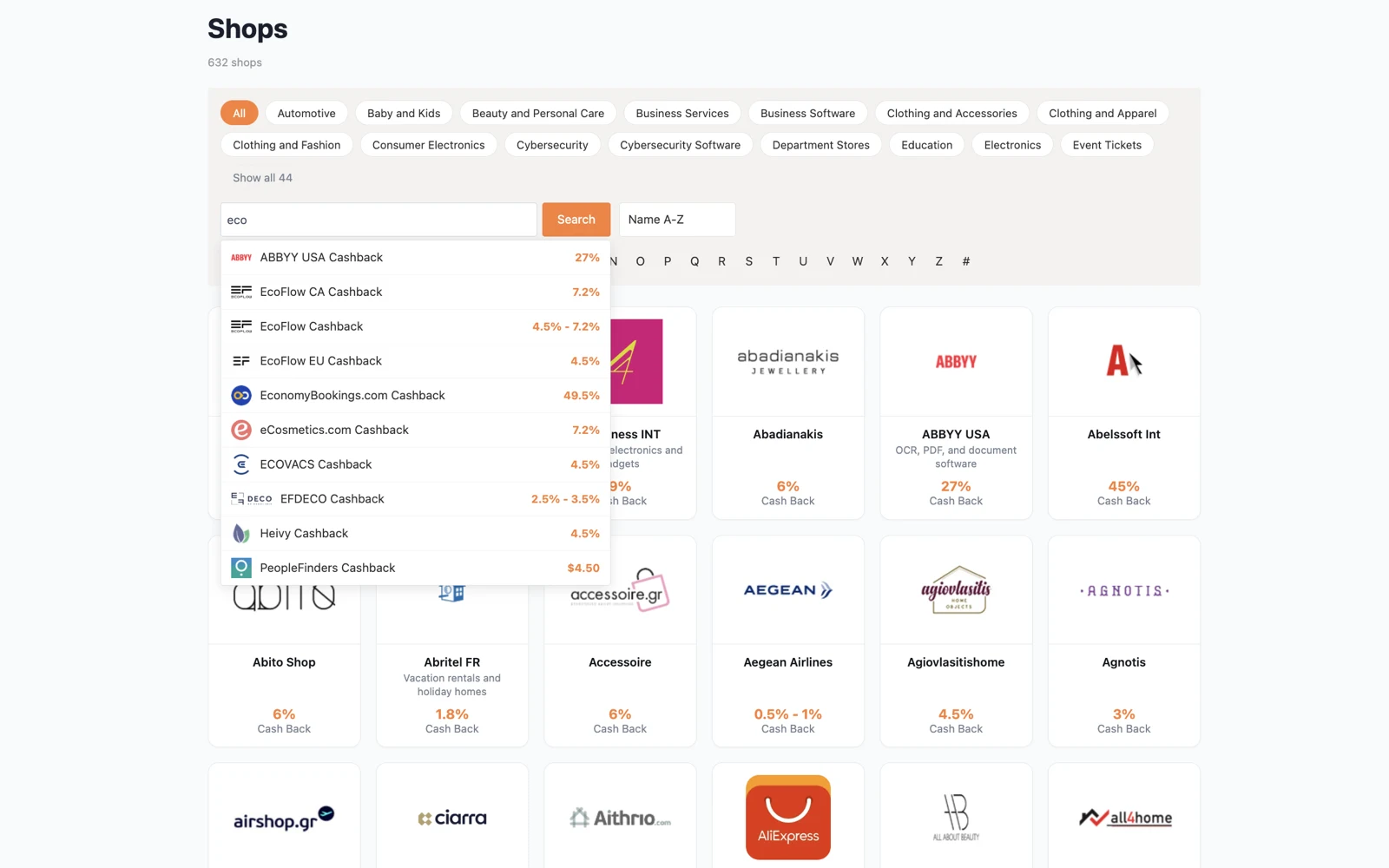
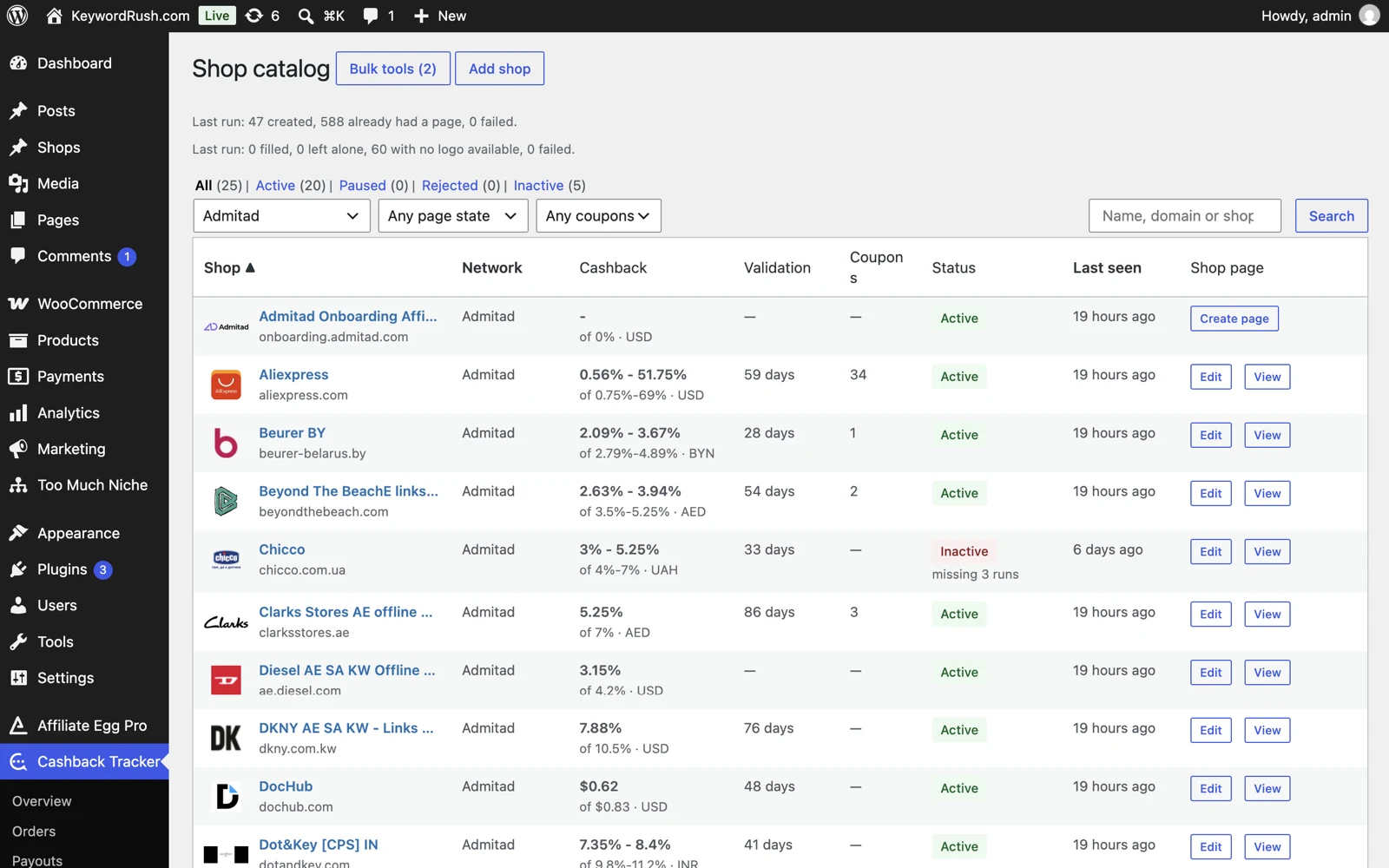
A shop directory with categories, A–Z browsing and instant search. Coupons import automatically — and the ones you edit stay edited.
- Auto-created shop pages with SEO titles and structured data
- Coupons update from your networks — your edits stay put
- Shop, coupon, search and balance blocks for the editor
- Shop descriptions written by AI, with your own key
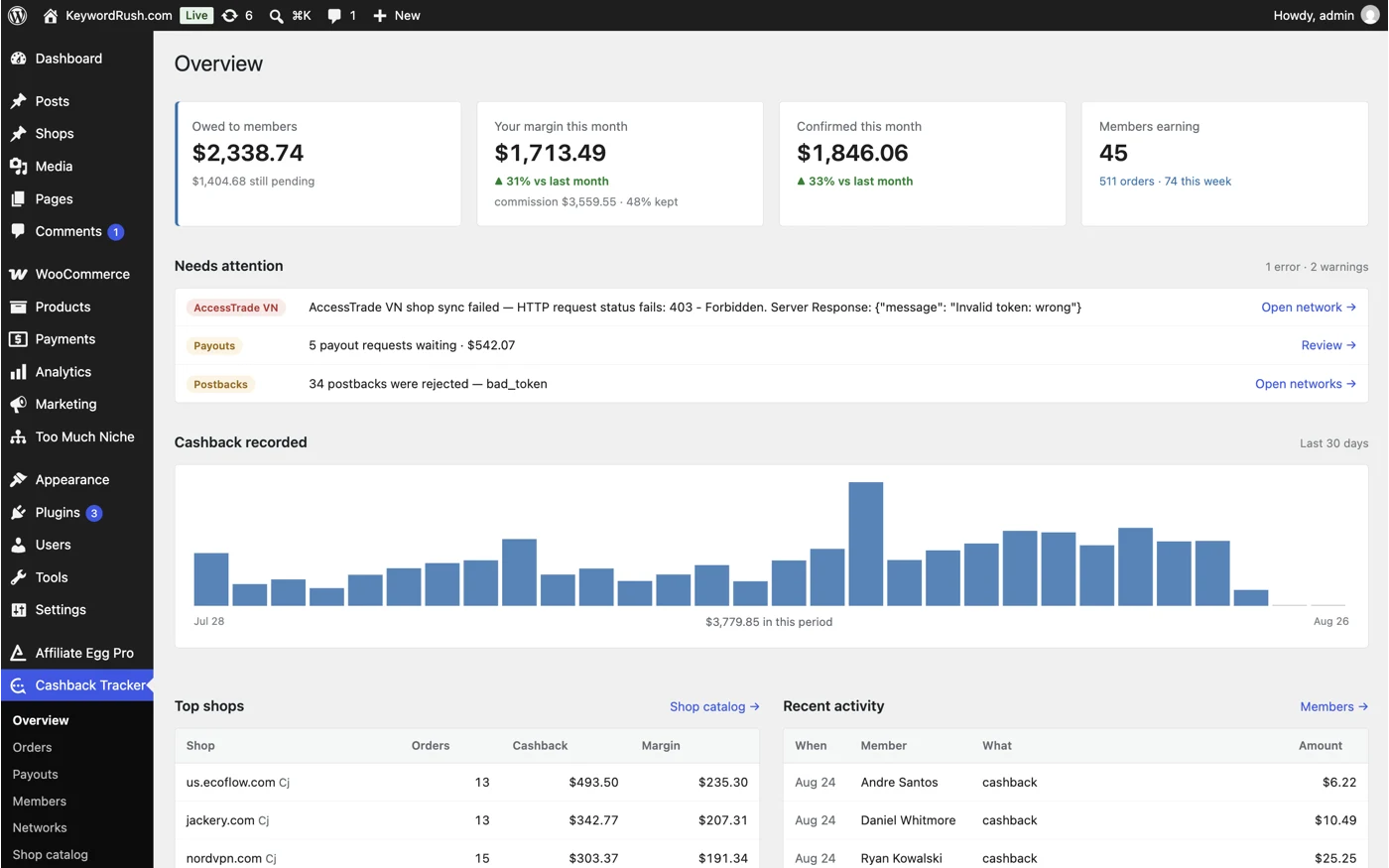
The admin side
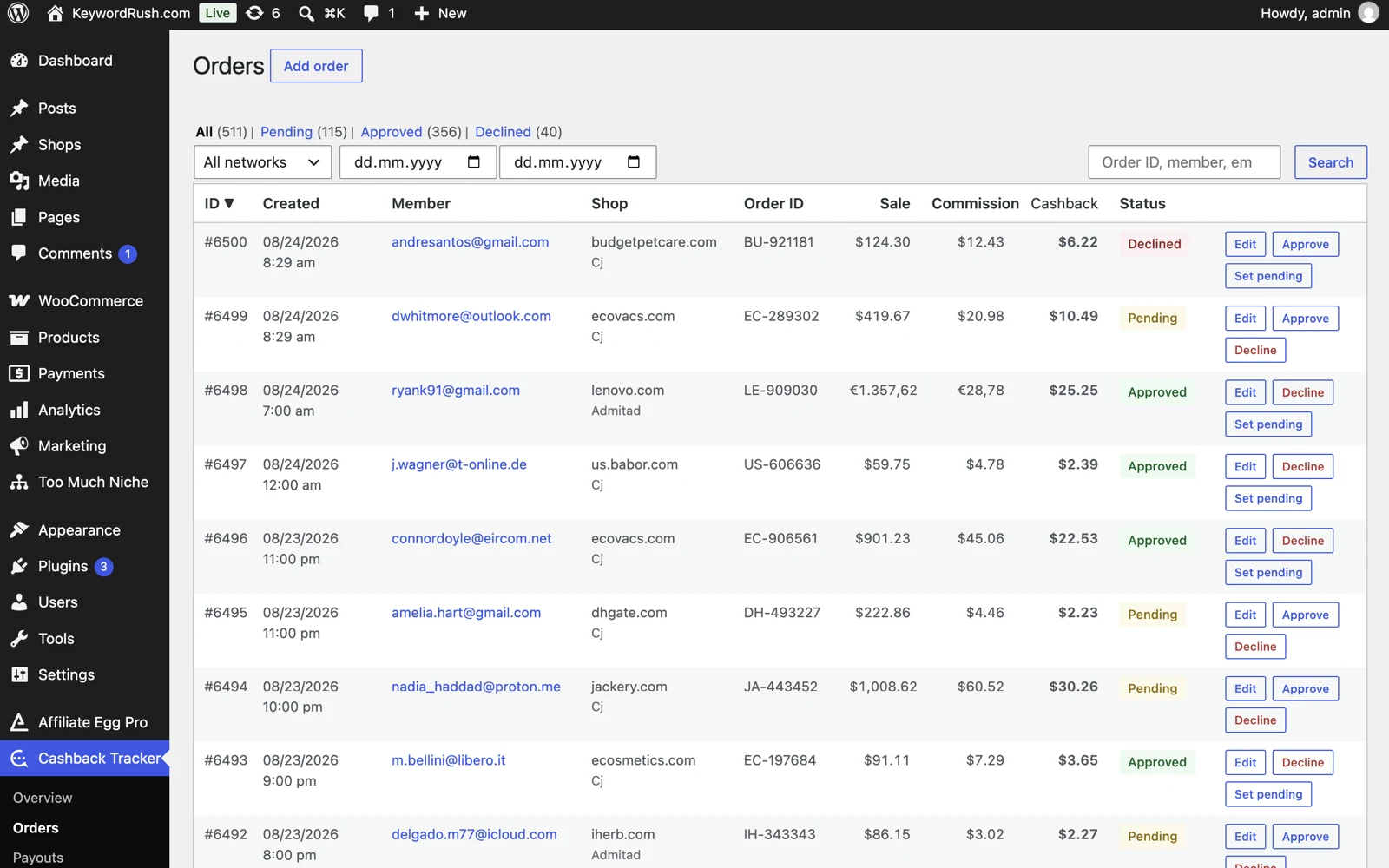
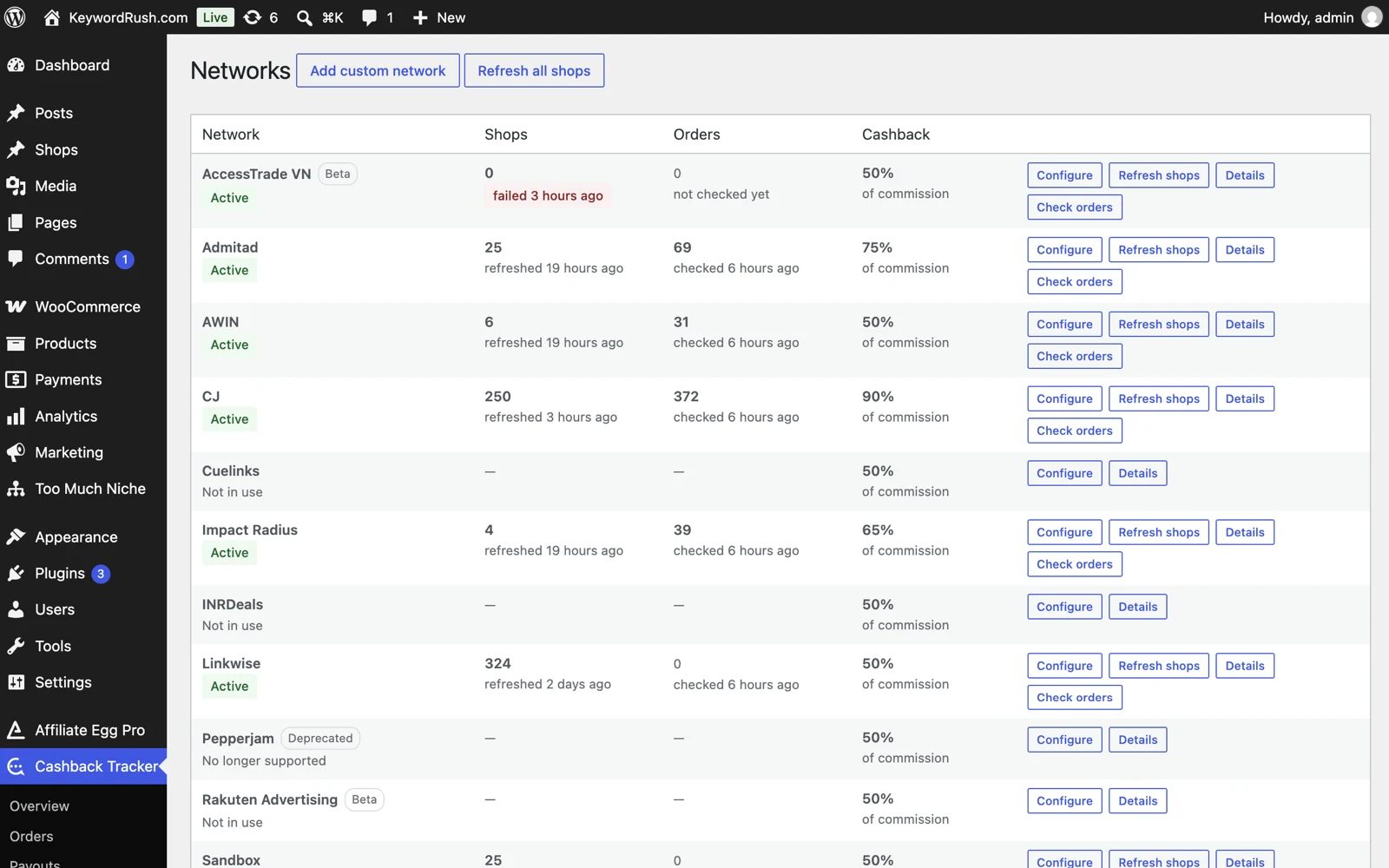
One admin app for orders, members, payouts, coupons and networks. Background refreshes keep everything current — and the plugin tells you if scheduled tasks stop.
- Add, edit, approve or decline orders by hand
- Adjust member balances — corrections update automatically
- One site currency, with automatic exchange rates
- An alert when background tasks stop running
Supported affiliate networks
Shops, coupons and orders come straight from each network's API.
 Admitad
 Awin
Awin CJ
CJ Cuelinks
 Impact
 INRDeals
 Linkwise
 Rakuten Beta
 AccessTrade Beta
Hundreds of shops, filled in an afternoon
Connect a network and shop pages appear by the hundred — with no descriptions, no logos and no categories. Filling them by hand is what stops most sites from launching. These tools do it in one pass.
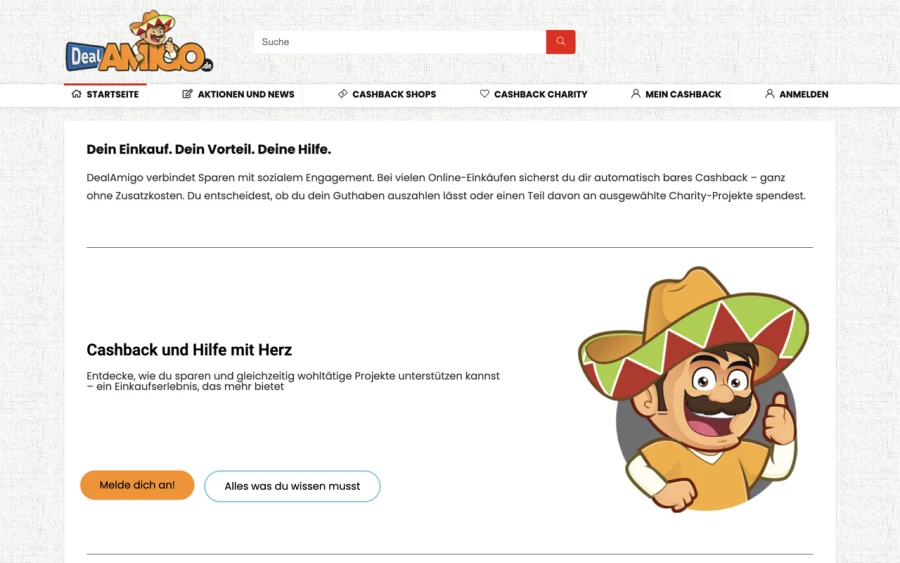
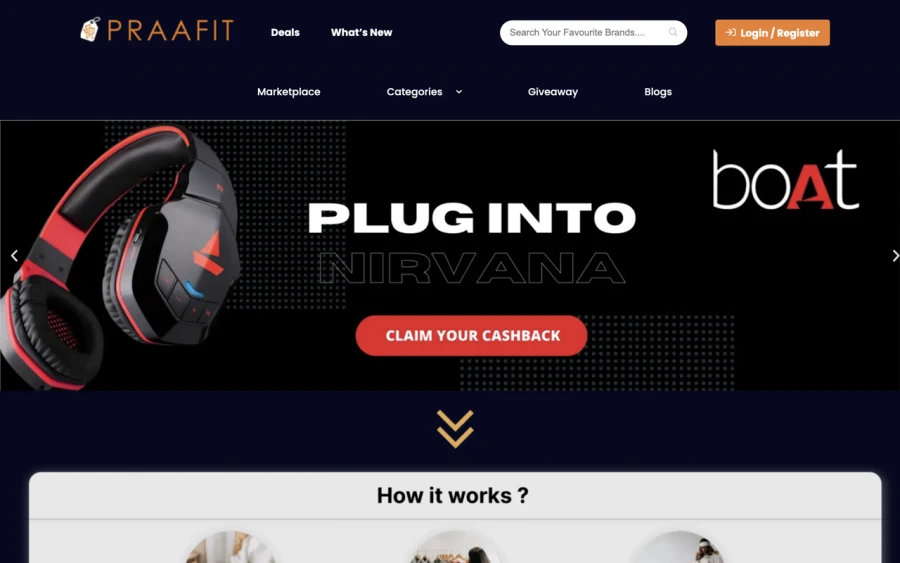
See it before you install it
What your visitors see, the member panel, and the admin.
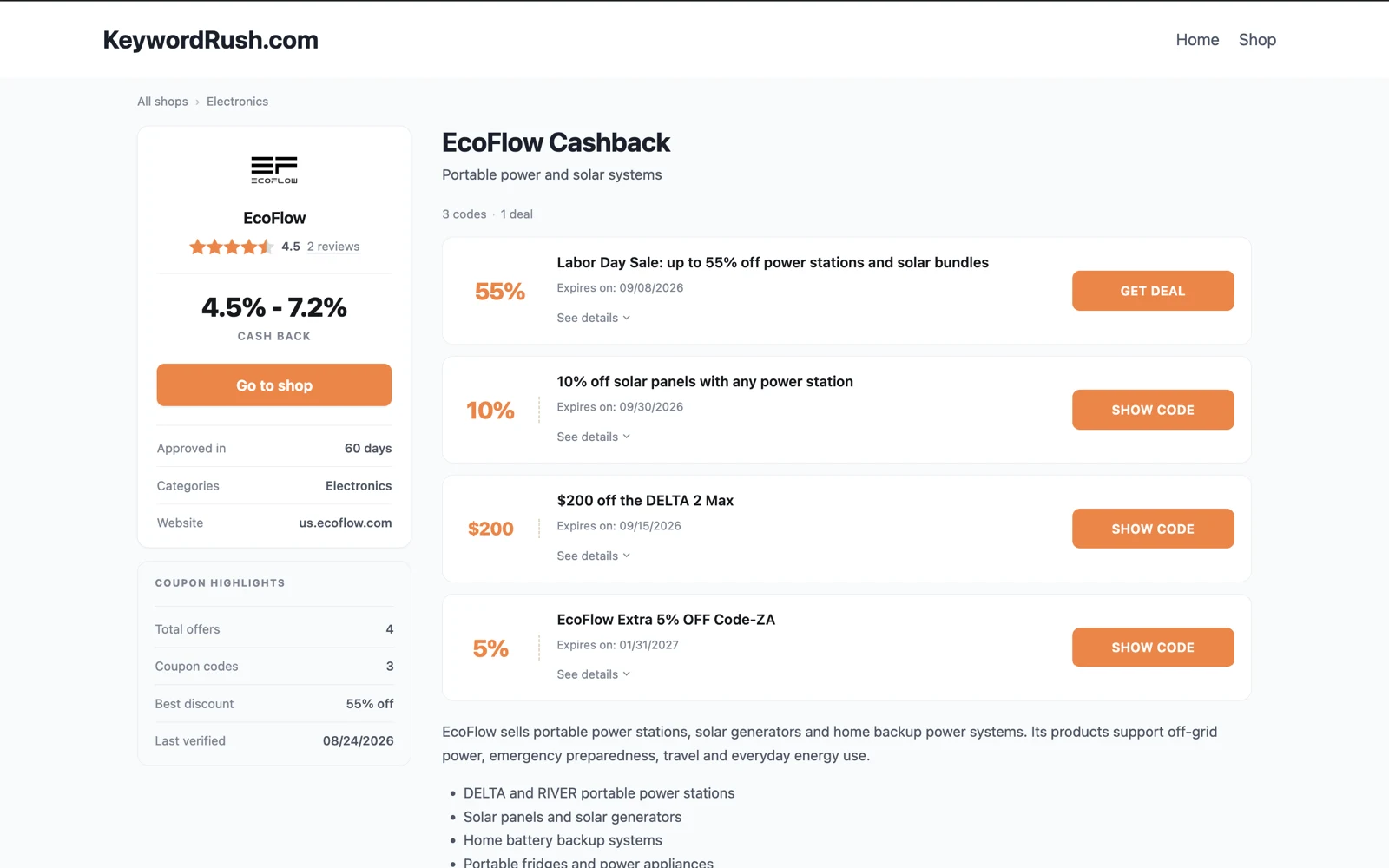
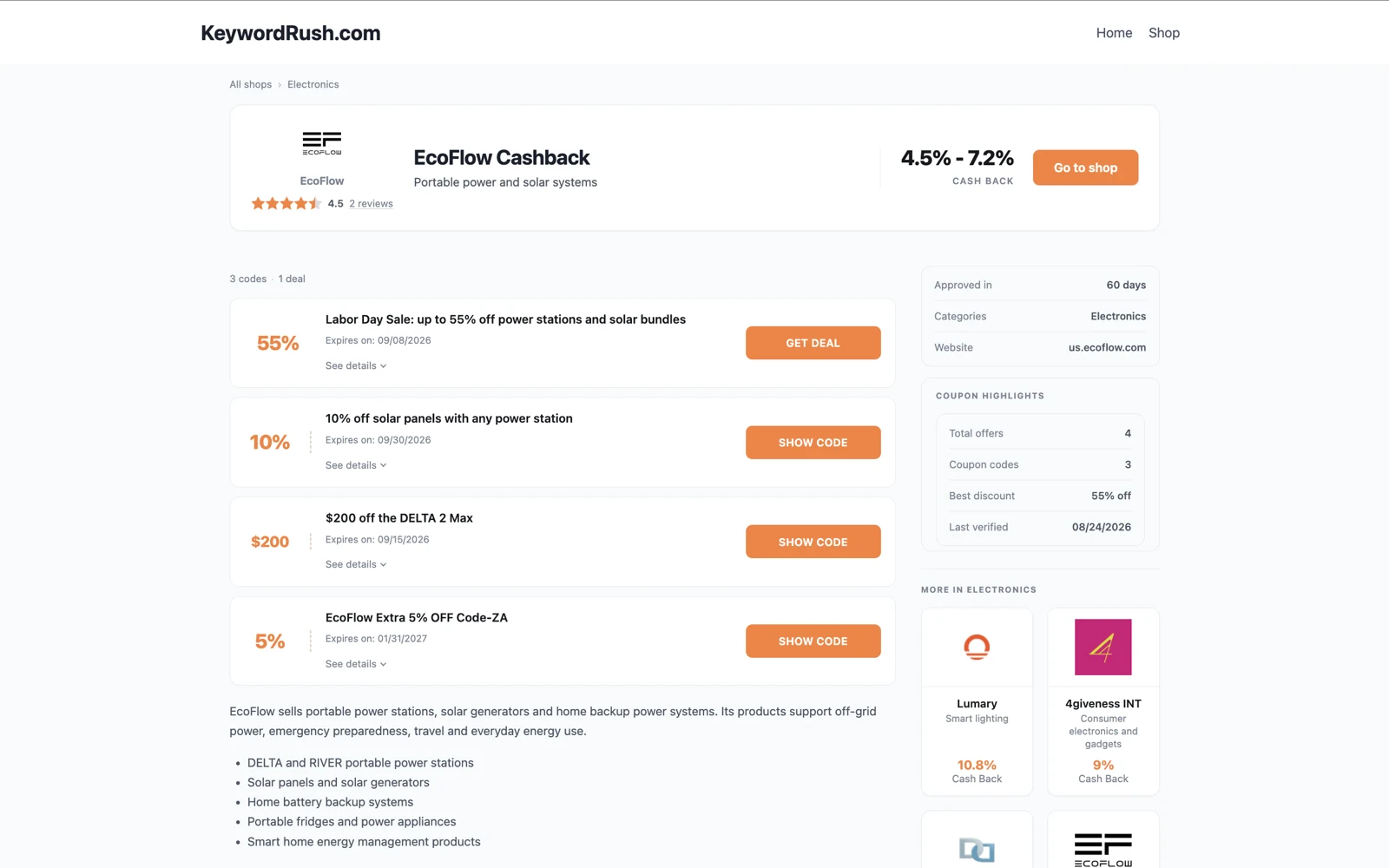
Click around the demo
A working shop directory — search it, browse A–Z, and sort by highest cashback.
Open the demo
One yearly license.
No monthly fees, no cut of your commission.
FAQ
Which affiliate networks are supported?
Admitad, Awin, CJ, Cuelinks, Impact, INRDeals and Linkwise, plus Rakuten and AccessTrade in beta. Any other network that can send postbacks works as a custom network — or write to me and request a module.
Do I need other plugins?
No. Member accounts, balances, payouts, shops and coupons are all built in. myCred and GamiPress are optional bridges, not requirements.
Will it work with my theme?
Yes — it works with the theme you already run. No special theme is required.
How do members get paid?
You pay them from your own PayPal or bank account. The plugin records requests, runs the queue and keeps the books — it never touches the money.
Can I give members 100% of the commission?
Yes. Cashback is a percentage of the sale, a percentage of your commission, or a flat amount — set per shop.
Can I run it without cashback?
Yes — one setting turns it into a coupon site. Shops, coupons, search and tracking links keep working, and you keep the whole commission.
Do I need API access to the networks?
Yes. The plugin uses official network APIs, so you need publisher API credentials for each network you connect. A demo module lets you test without real orders.
Does the AI cost extra?
Not to us. The AI features run on your own provider account through WordPress — you pay your provider directly for what you use, and there are no credits to buy from us.
How new is the plugin?
Cashback Tracker has powered cashback sites since 2019. Version 3.0 added the member area, the cashback ledger and the payout workflow.
Can you set up my site for me?
Yes, on request — setup and configuration are available as a paid service, subject to my availability. Tell me what you need and I'll quote it. If you would rather do it yourself, the documentation covers the whole process and support is answered by the developer.