
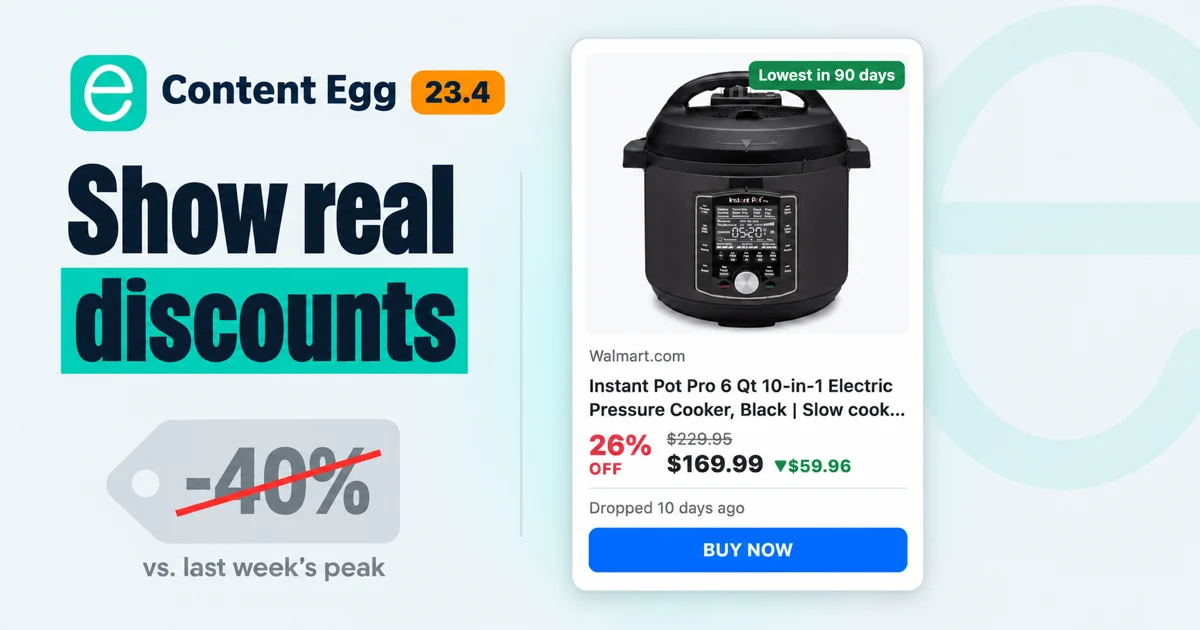
You have probably seen it on other sites, maybe on your own: a deals widget says “-40%”, and the visitor remembers the same “sale” from last month. Some shops raise a price for a week and then cut it back. A widget that compares today’s price with the highest recent price repeats that trick for them, and visitors learn to ignore the number.
My own Price Movers widget in Content Egg worked that way. It measured a drop against the highest price of the last 90 days. In Content Egg 23.4.0 I rebuilt price history and the price drops list around a different reference, the usual price of a product, and gave price alerts a new form and new emails. This post shows what that changes on an affiliate site and how to use it.
What “the usual price” means
The usual price is the price in the middle: line up the days a product was in stock by their price and take the middle one. Out-of-stock days don’t count, and one expensive week barely moves it. For a price drop, Content Egg looks at the 90 days before the drop, so a product that has been cheaper for three weeks keeps its discount instead of losing it as the new price becomes “normal”.
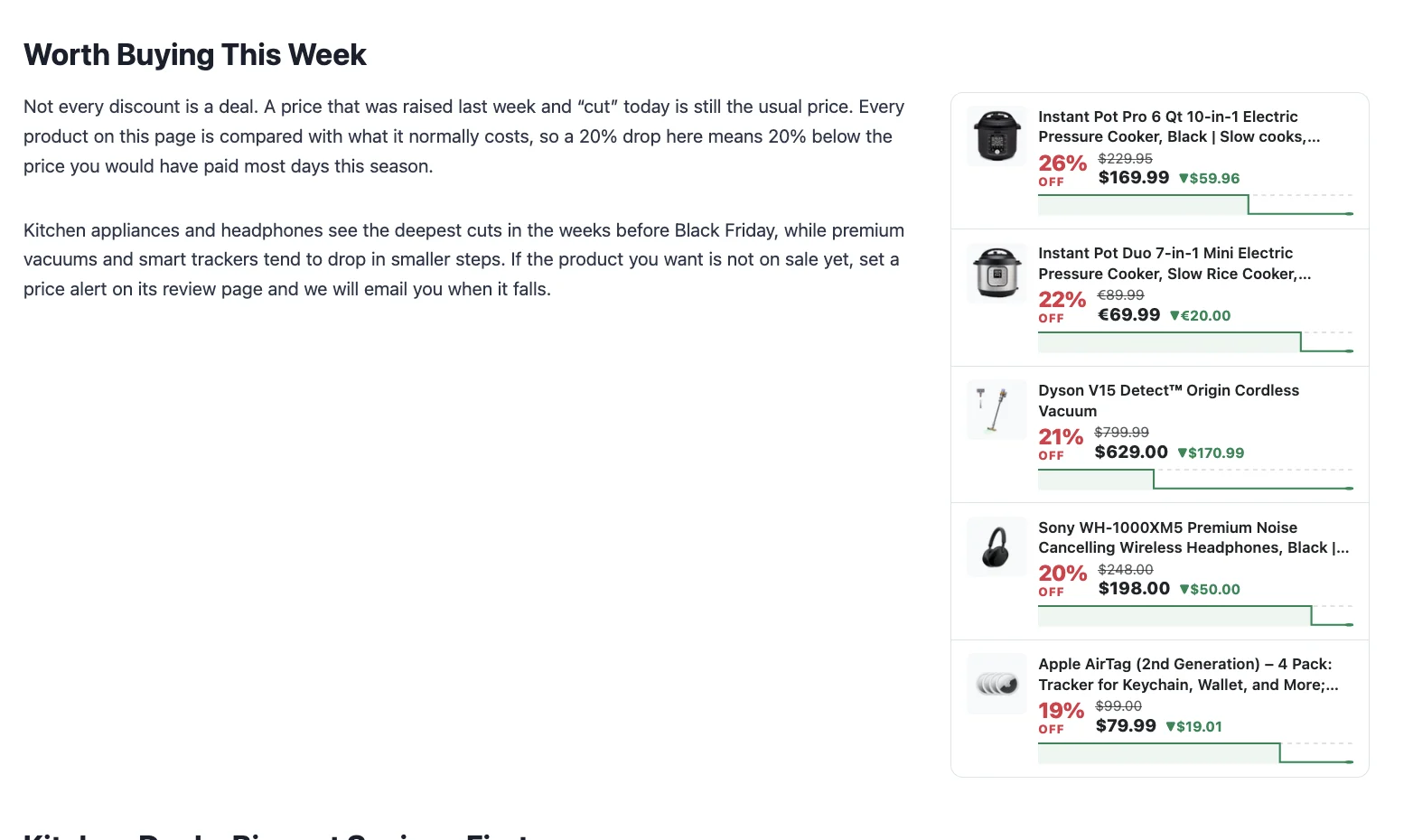
Here is a card from my demo page. The Instant Pot Pro usually sold for $229.95 at Walmart. It costs $169.99 now, so the card says 26% off, a saving of $59.96, dropped 10 days ago.
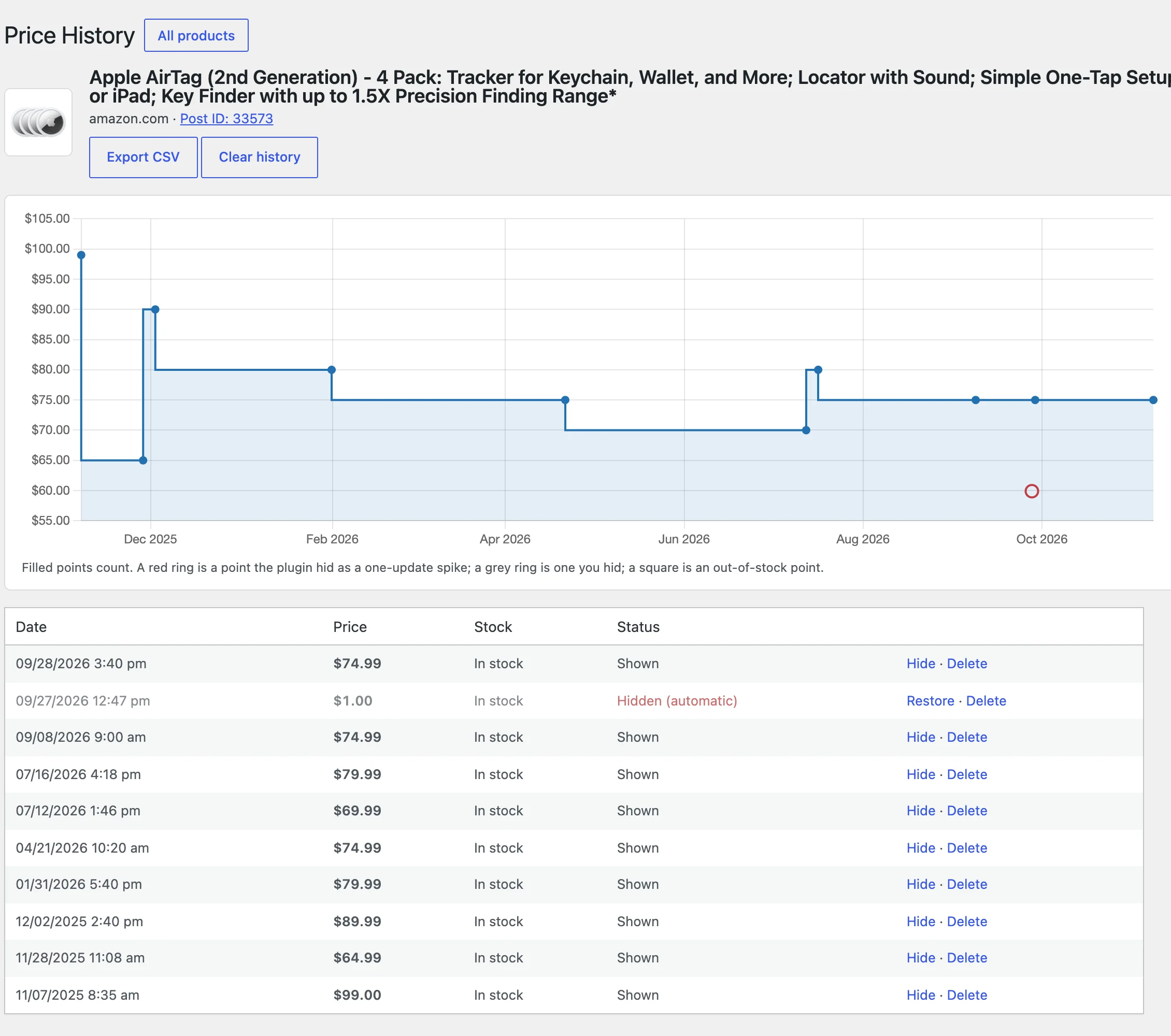
Two checks keep bad data out:
- A price that jumps far for one update and then comes back is hidden automatically, so it never becomes the “lowest price” and never triggers an alert.
- A discount of 90% or more is shown only after a later price check confirms it. A one-off typo in a shop’s data doesn’t show up as a 95% sale, and a real clearance still gets through after one more update.
Price history with a verdict
A bare chart makes the visitor do the work. The Price History block now starts with an answer: “The price is low right now, 19% below the typical price”, with a low / typical / high bar and the typical price range under it. The typical price here is the usual price of the last 90 days.
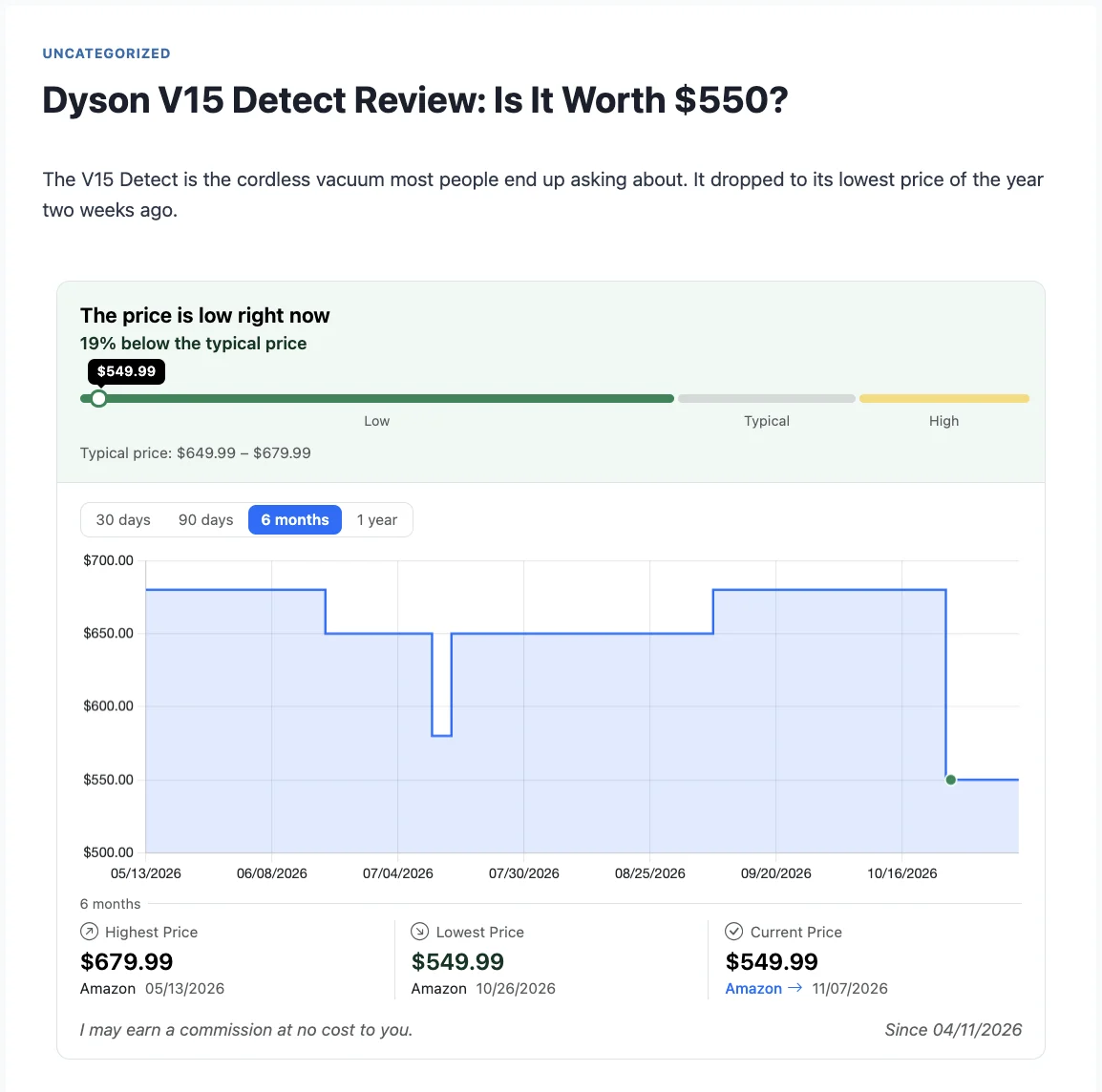
Below the verdict you get period tabs from 30 days to 1 year, a line for each shop and shaded periods when the product was out of stock. Visitors can switch shop lines on and off in the legend.
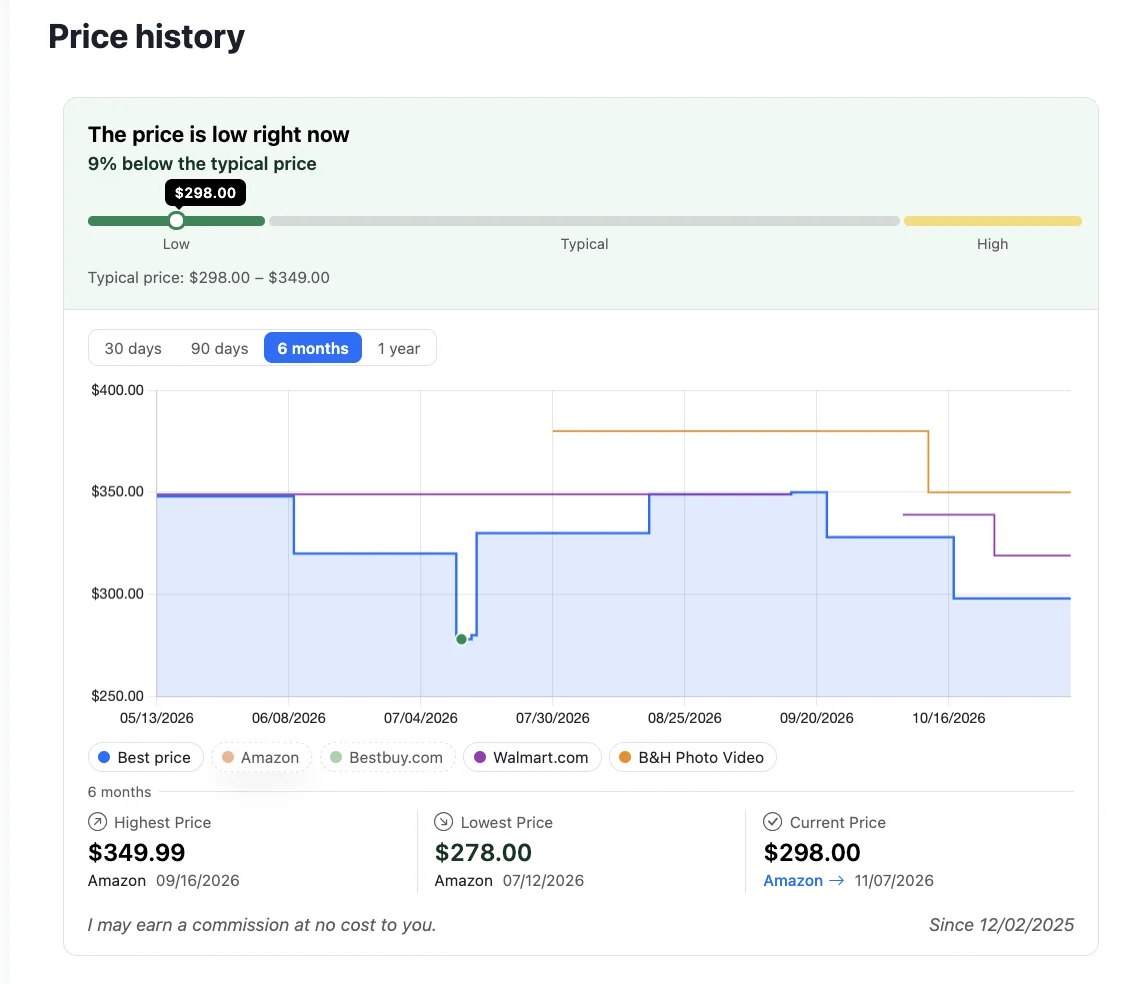
For the site owner there is a new screen at Content Egg > Price History. It shows every saved point of a product. You can hide a wrong price and restore it later, delete it, clear the history or download it as CSV. You can add the block from the block editor, or use the Price history template of the CE Products block.
Price drops: a deals block that counts honestly
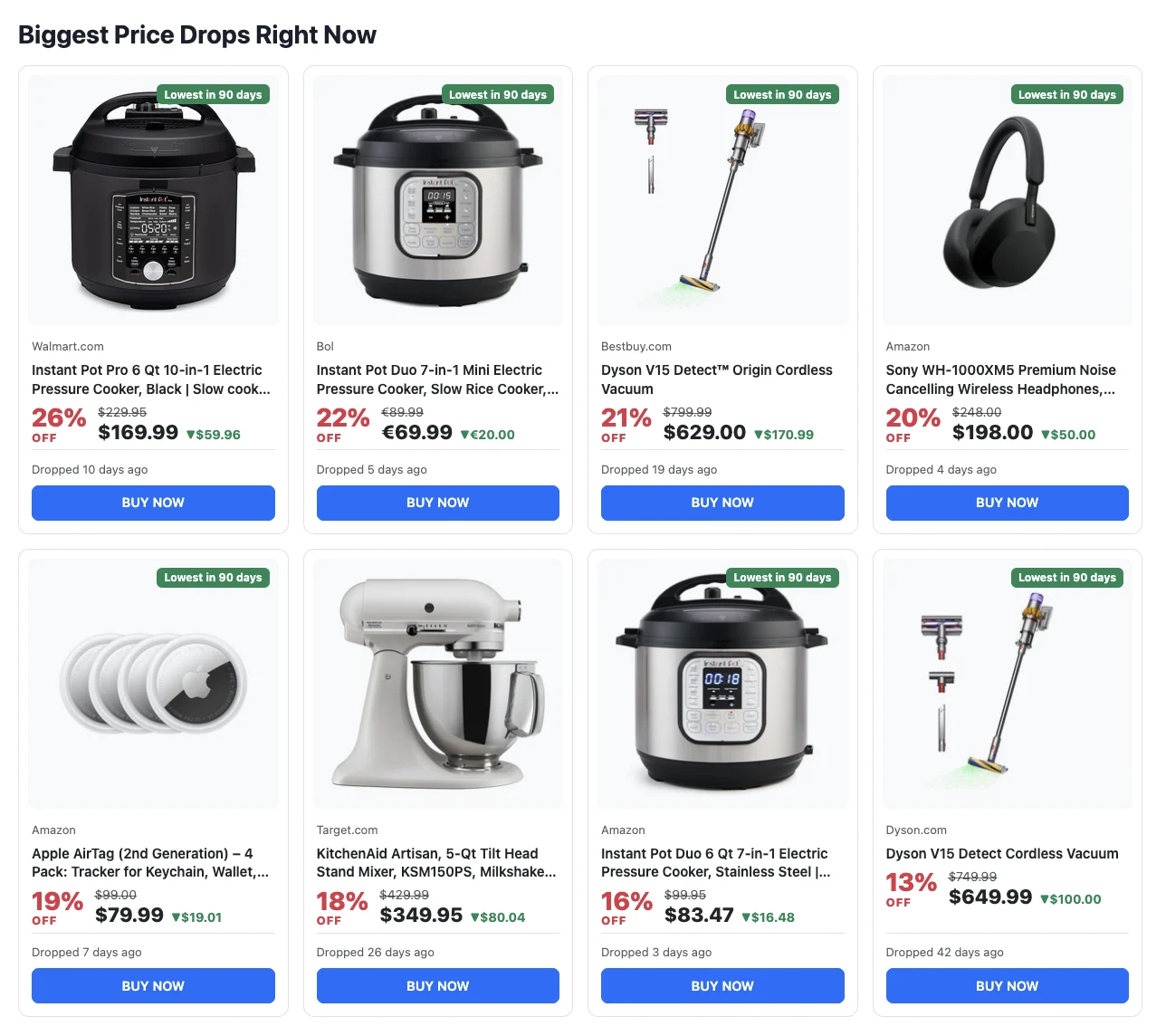
The Price drops block lists the products on your site that cost less than they usually do. It works as a block, as the `[content-egg-price-drops]` shortcode and as the CE: Price Movers widget. There are four templates: Grid, Chart, Verdict and List.
A card shows the percent off, the usual price struck through, today’s price and the saving. A “Lowest in 90 days” badge appears when today’s price is the lowest of the last 90 days, and the date tells the visitor how fresh the drop is. If several shops sell the same product, the block shows one card for it, with the biggest discount.
The settings cover what a deals page needs:
- categories and tags, so a kitchen page shows only kitchen products;
- a minimum discount (5% by default) and how recent the drop must be (60 days by default);
- the modules to include or leave out;
- where the title and picture link: your review post, or straight to the shop. The button always goes to the shop.
A product needs some history before it can appear: at least 7 days by default. On a fresh install the block stays empty for the first week or so.
If you used the old `[content-egg-price-movers]` shortcode or widget, you don’t need to change anything. They now show the new cards and still link to the shop by default. Because they compare with the usual price now, they may list fewer products than before: a price that only came back from a short spike is no longer counted as a drop.
Price alerts: let visitors wait for the drop
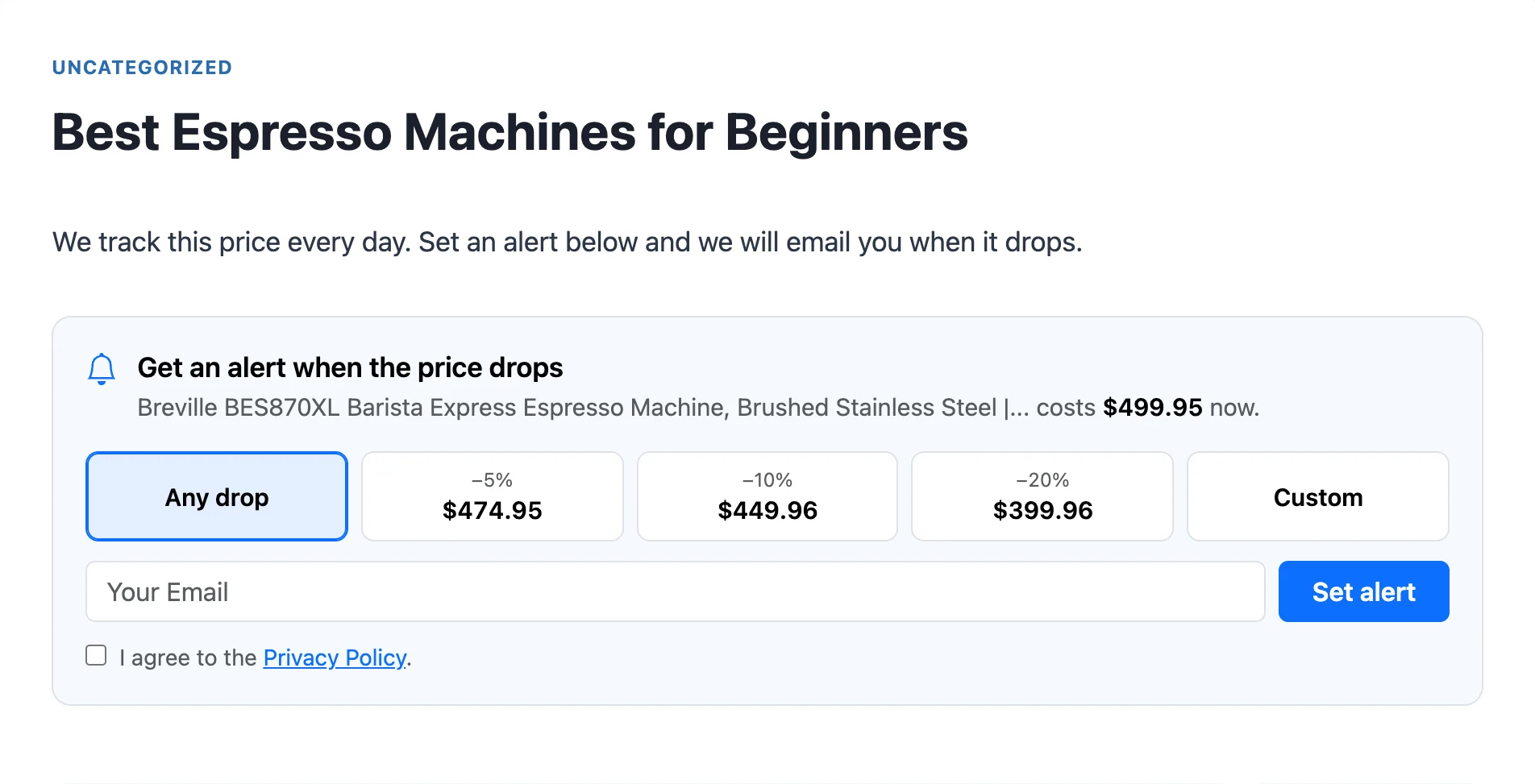
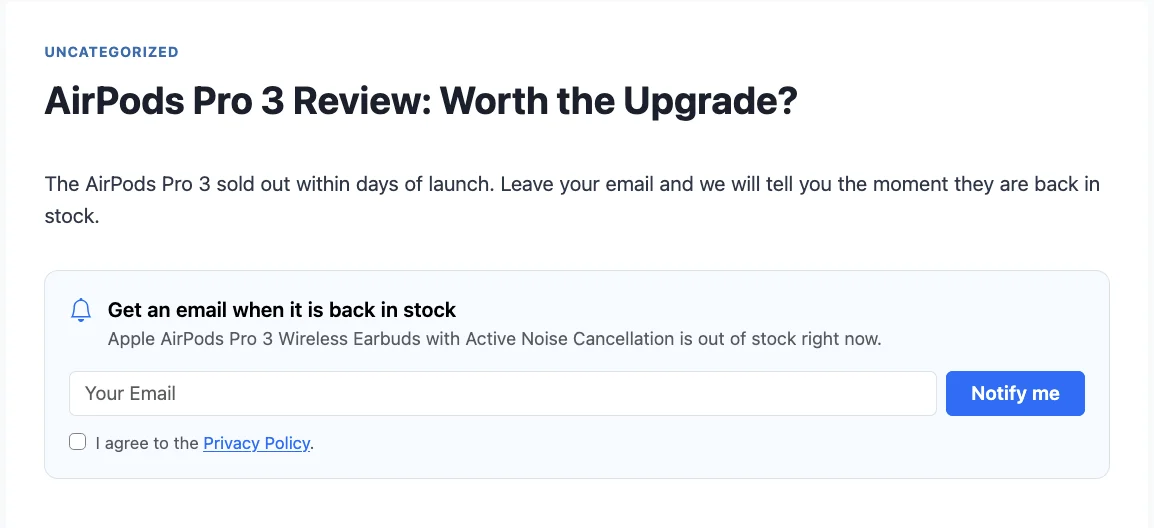
Not every visitor buys today. The price alert form lets them choose: any drop, 5, 10 or 20% lower, or their own target price. When the product is out of stock, the form offers a back-in-stock email instead.
The emails carry your site’s name, logo and accent color. You can edit their subject and text, see a preview and send yourself a test before subscribers get it. The price drop email has an “Alert me if it drops further” link, and every subscriber gets a page where they can change a target price or remove their alerts. Emails go out through a queue, so a failed send is retried instead of lost.
Existing sites keep their current form and emails until you set Alert Design to Modern under Content Egg > Settings > Price alerts. Subscribers keep their alerts when you switch.
What it can’t do
The history is only as good as the price updates behind it. If a product is updated once a week, the chart has one point a week at most, and a short sale can slip through.
A new product has no history yet. The verdict needs 30 days of prices, and the Price drops block needs 7 days by default.
Shop and network rules about showing prices still apply to your site. Amazon, for example, has its own rules about showing price history. Check the rules of the programs you work with before you display price history for their products.
Try it
Price history, price drops and price alerts are in Content Egg 23.4.0 and in the free version 12.3.0. Update the plugin, then:
- add the Price drops block to a deals page, or the List template to a sidebar;
- check a Price History block on one of your reviews;
- set Alert Design to Modern under Content Egg > Settings > Price alerts.
The docs have every setting: Price History, Price Drops and Price Alerts.
Written November 2026, with Content Egg 23.4.0.

With 20 years in affiliate marketing, Serge creates practical WordPress tools such as Content Egg and External Importer that help publishers manage and grow their affiliate sites.